What this page is for
Settings › My Notifications decides which emails FirmLinks sends you and how often. It sits in the Settings menu after My Calendar, and it is about you alone: everyone at your firm, whatever their role, has their own page and their own choices. Nobody else can change yours.
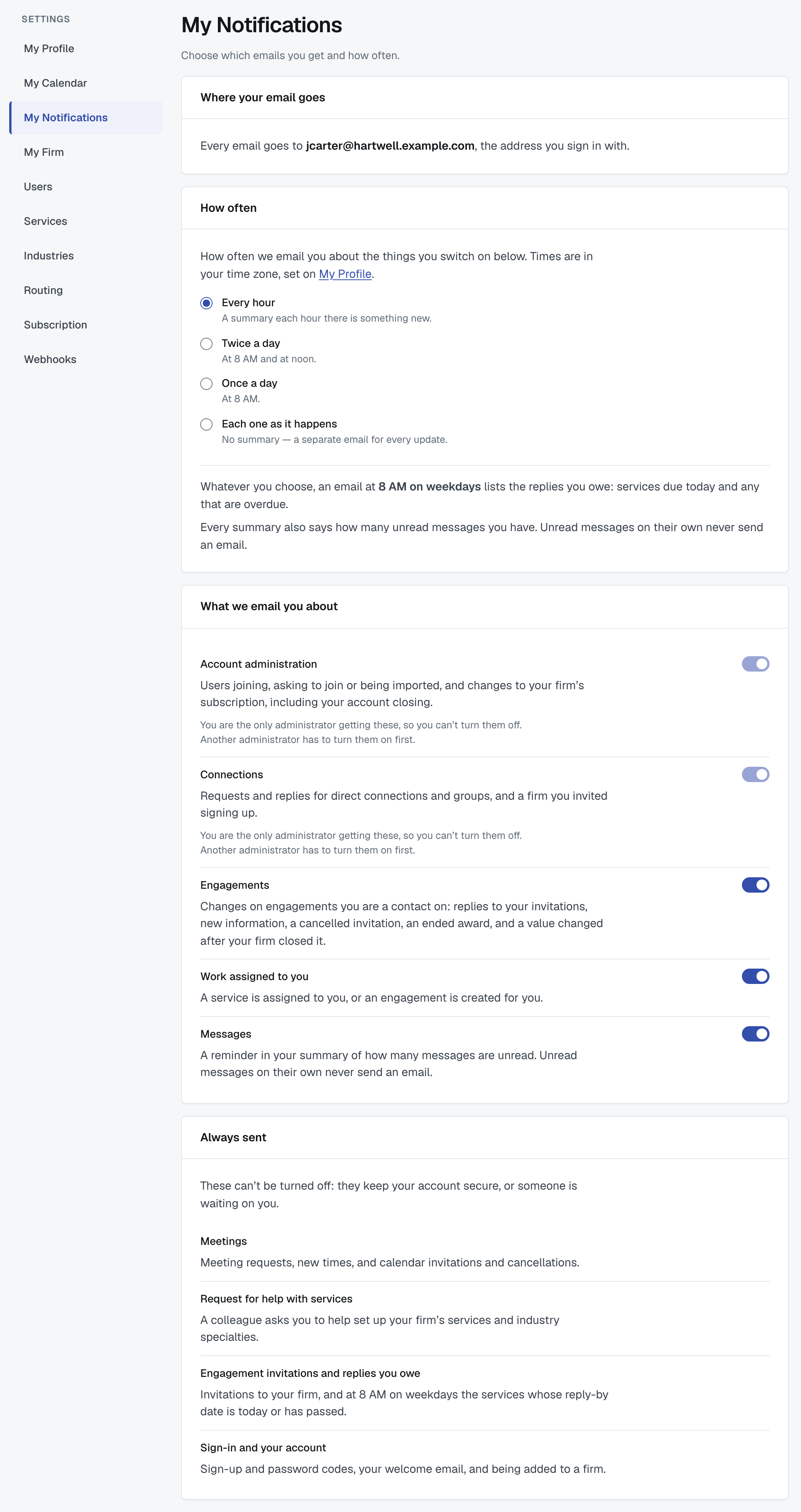
There is no Save button. Everything on the page saves as soon as you change it, and the page shows when it last saved. If a change can't be saved, the page puts it back the way it was and tells you why, right beside it.
Where your email goes
The first card shows the address every email goes to: the address you sign in with. You can't change it here, and you can't send FirmLinks email to a different address. If your sign-in address needs to change, contact support (see Update your own profile and password).
How often
Choose one of four:
- Every hour — a summary each hour there is something new. This is where everyone starts.
- Twice a day — a summary at 8 AM and at noon.
- Once a day — a summary at 8 AM.
- Each one as it happens — no summary; a separate email for every update.
The times are in your own time zone, the one set on My Profile. If you haven't set one, FirmLinks uses the time zone of your firm's primary office, and US Central time if it can't work that out.
A summary is sent only when there is something new. A quiet hour sends nothing.
The summary email
The summary gathers your updates into one email. Its subject and heading say what is in it, for example "1 reply overdue, 2 due today, and 12 updates". Inside, updates are grouped under headings with a count. Each one shows the engagement's name as a link, one line saying what happened, and the time. Every update is listed — nothing is cut short behind a "more" link.
If you have Messages switched on, every summary also says how many unread messages you have, with a link to Messages. Unread messages never send an email on their own.
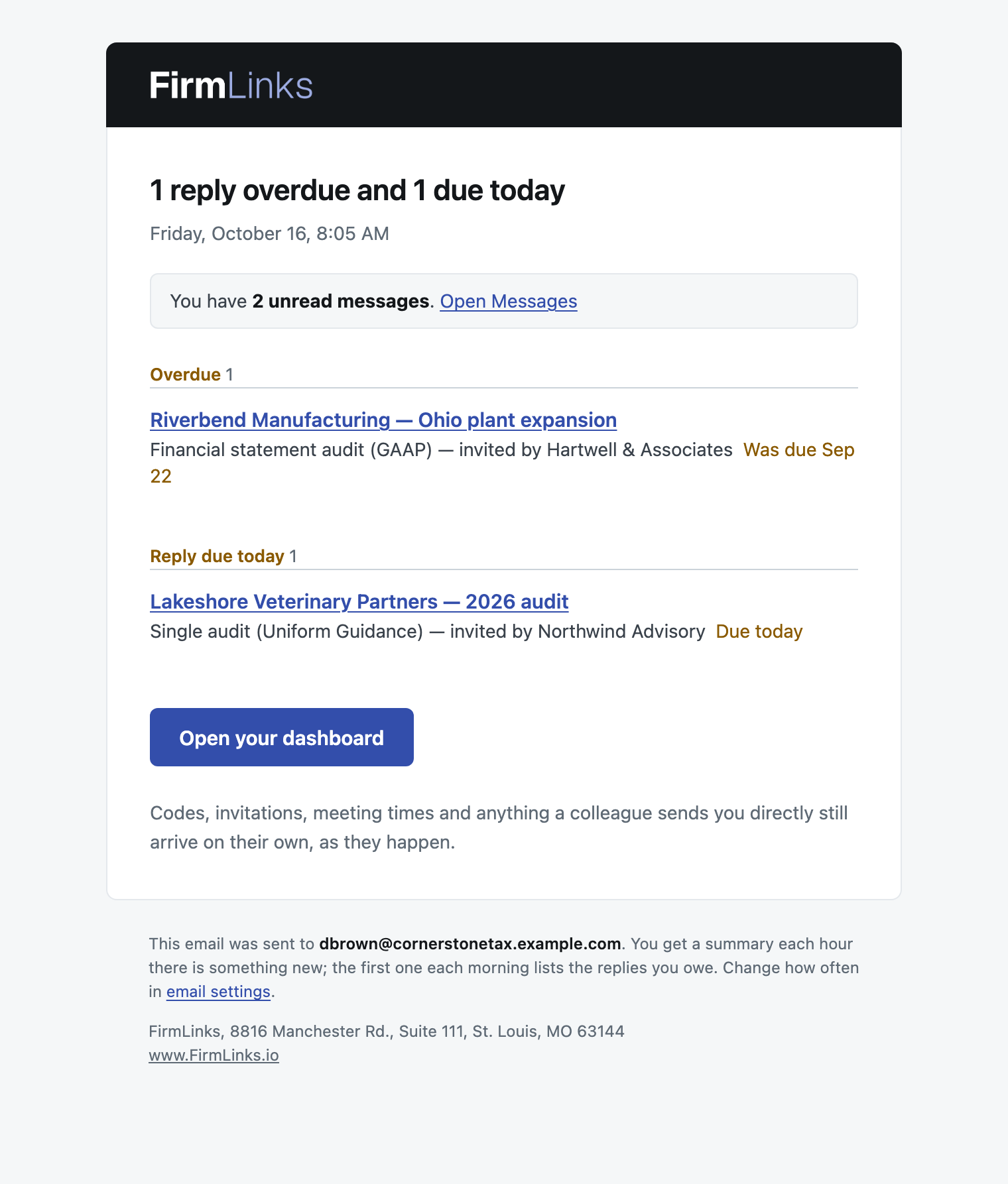
The 8 AM weekday email: replies you owe
Whatever you choose under How often — even Each one as it happens — an email at 8 AM on weekdays lists the replies you owe:
- Overdue first: services whose reply-by date has passed and which are still waiting for an answer.
- Then Reply due today: services whose reply-by date is today.
A reply is yours to give if you are your firm's main point of contact and the service is still at Invited, or if you are the person assigned to it once it is In Review. The email comes every weekday morning until the service is answered. Nothing is sent on Saturday or Sunday, so a service due at the weekend shows as overdue on Monday. If you owe no replies, there is no 8 AM email unless your summary has something else to say.
What we email you about
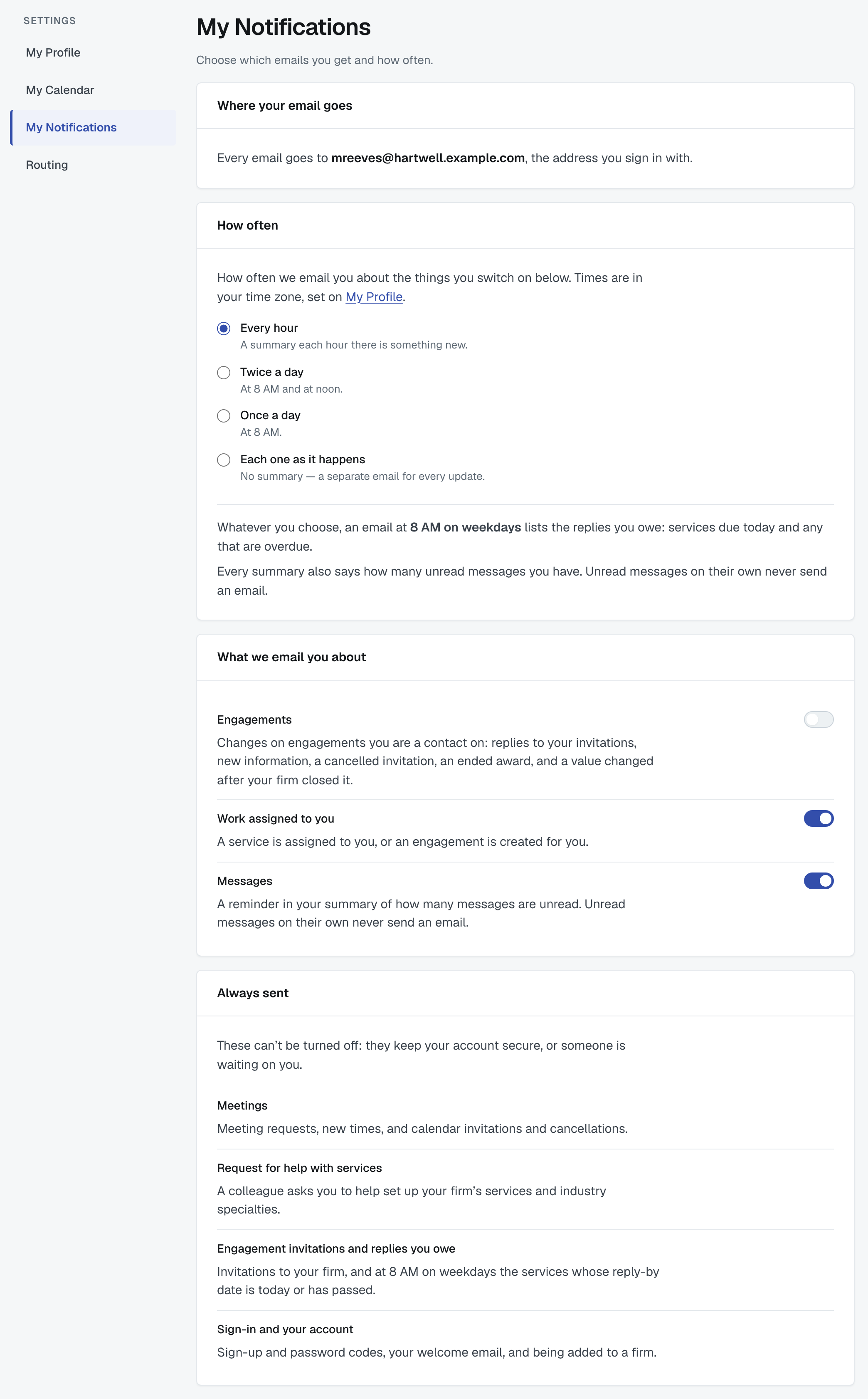
One switch for each kind of email you can turn off. Every switch starts on. Turning one off stops both its summary items and any emails of that kind that would otherwise arrive straight away.
- Account administration — users joining, asking to join or being imported, and changes to your firm's subscription, including your account closing. Administrators only.
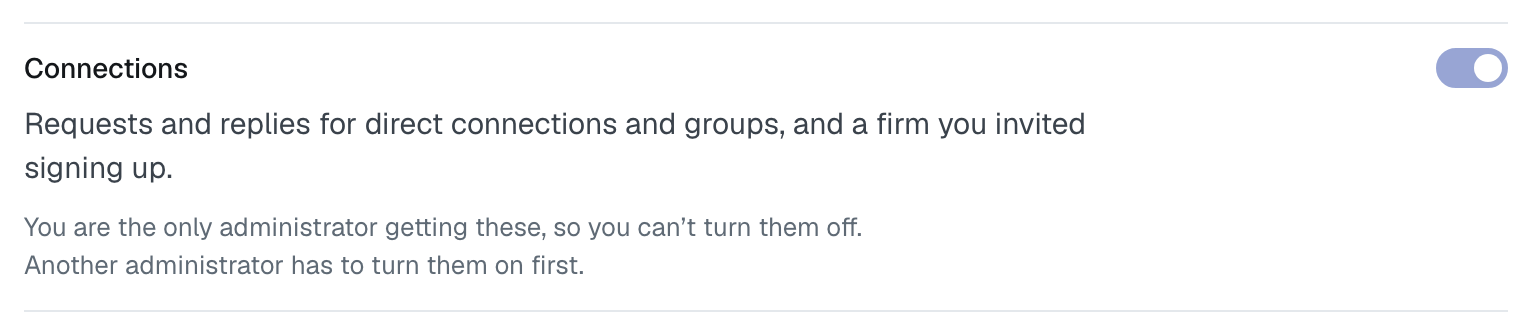
- Connections — requests and replies for direct connections and groups, and a firm you invited signing up. Administrators only.
- Engagements — changes on engagements you are a contact on: replies to your invitations, new information, a cancelled invitation, an ended award, and a value changed after your firm closed it.
- Work assigned to you — a service is assigned to you, or an engagement is created for you.
- Messages — the reminder in your summary of how many messages are unread.
Account administration and Connections appear only for administrators; other users see three switches. At least one administrator at your firm must keep each of these two on, so that someone always hears about them. If you are the only administrator who has one switched on, its switch is locked and says why: "You are the only administrator getting these, so you can't turn them off. Another administrator has to turn them on first."
Always sent
Some emails can't be turned off, because they keep your account secure or someone is waiting on you:
- Meetings — meeting requests, new times, and calendar invitations and cancellations.
- Request for help with services — a colleague asks you to help set up your firm's services and industry specialties.
- Engagement invitations and replies you owe — invitations to your firm, and the 8 AM weekday email about services due today or overdue.
- Sign-in and your account — sign-up and password codes, your welcome email, and being added to a firm.
These always arrive on their own, as they happen, and never wait for a summary.
What FirmLinks emails look like
Every email opens with the logo on a dark band and a short heading saying what it is about, has at most one button, and ends with a footer naming the address it was sent to and why you received it. Codes are shown as two groups of three digits, for example 482 913. Emails include a plain-text version and read well in dark mode.
Was this article helpful?
That’s Great!
Thank you for your feedback
Sorry! We couldn't be helpful
Thank you for your feedback
Feedback sent
We appreciate your effort and will try to fix the article