What the Requests tab holds
Collaboration Center › Requests is everything waiting on your firm, and everything you're waiting on somebody else for. The tab carries a count, so it's the first place to look when something feels stuck.
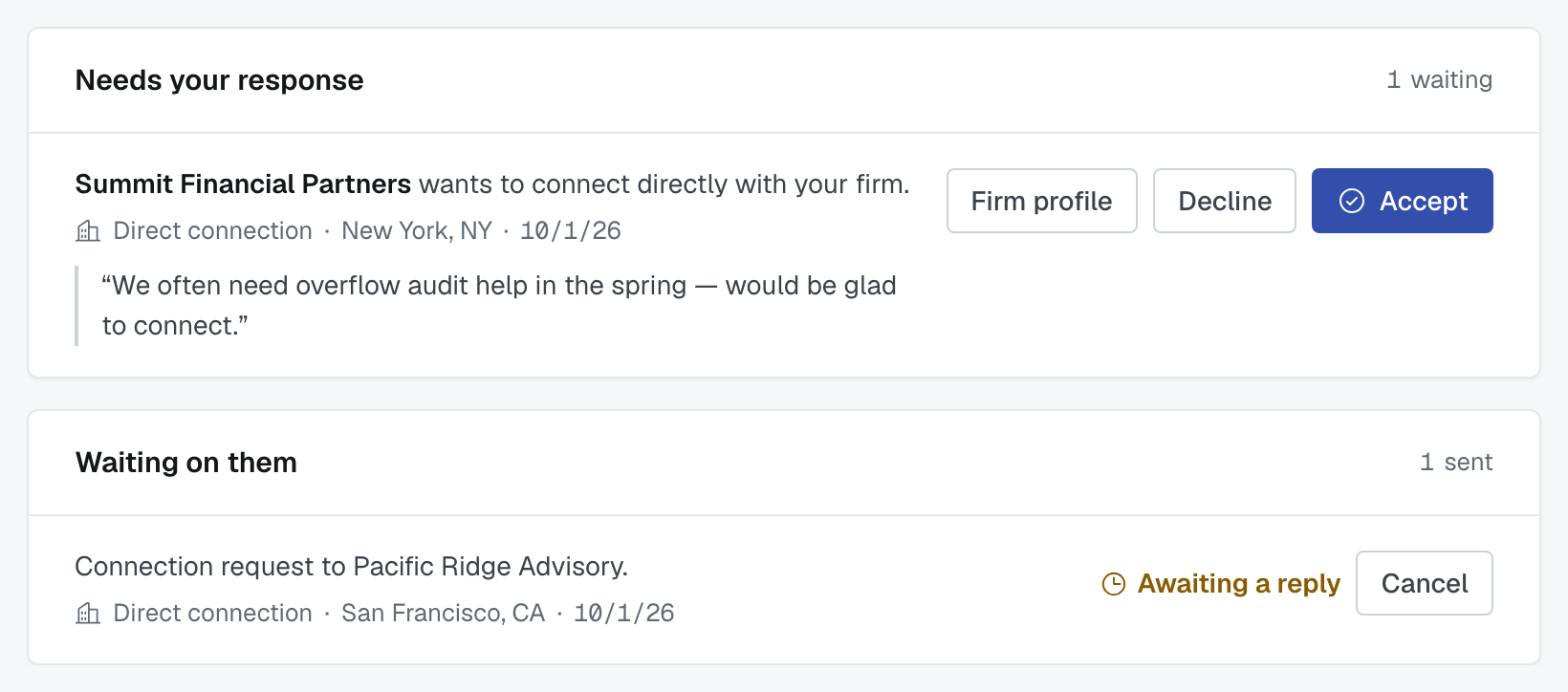
Only an administrator can accept or decline. Everyone else can see the list.
Needs your response
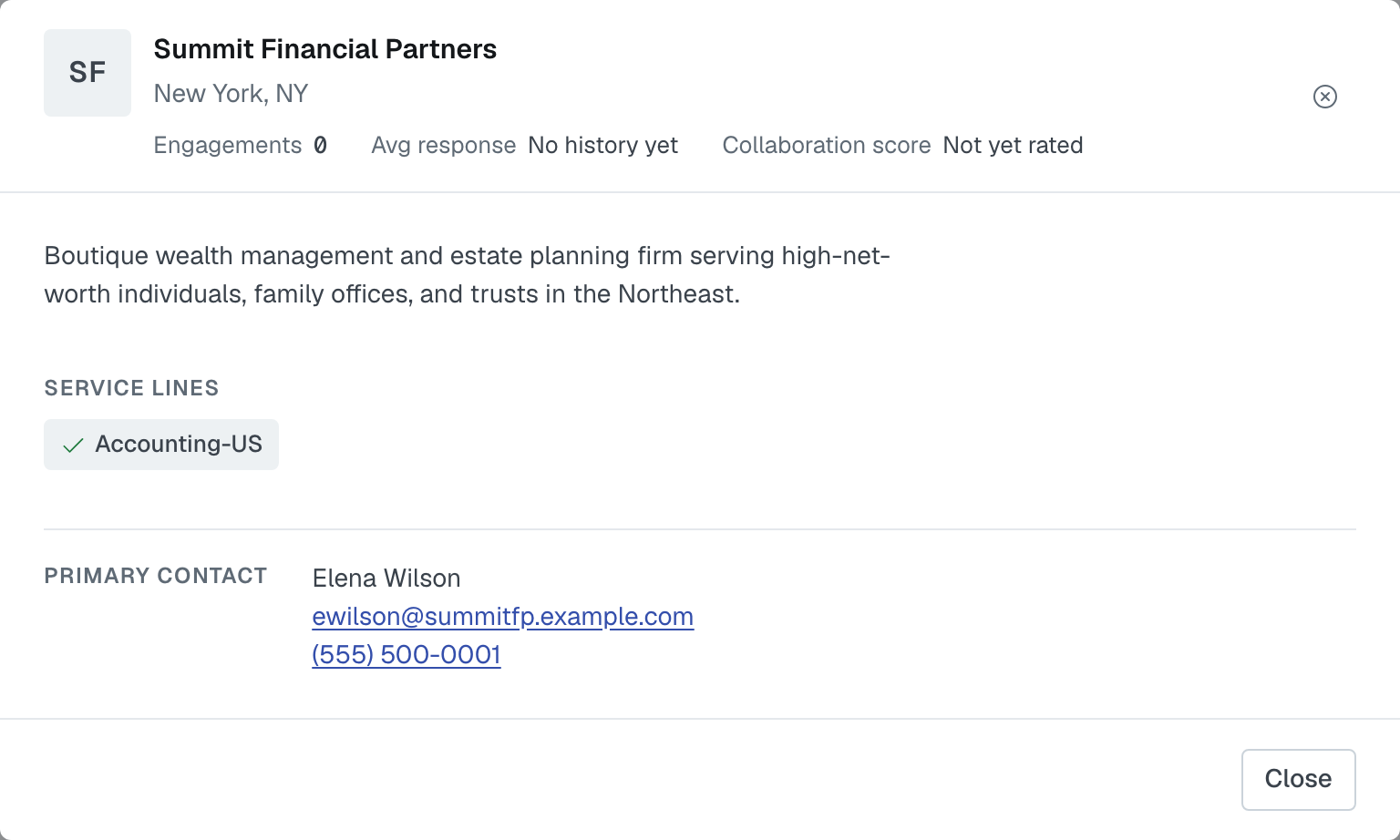
Three kinds of thing arrive here. Each row names the firm and what it is asking, then a short line with the kind of request, the firm's location (or, for a group request, the group's details) and the date, then the note the other firm wrote, if any. The contact person isn't on the row; press Firm profile to see who to talk to. The profile card that button opens shows the firm's Primary contact — name, email and phone (the phone line is left out if they have none) — so you know who to call before you decide.
"<Firm> wants to connect directly with your firm." Accept and the two firms become matchable to each other — nothing more, and nobody else can see it. Decline and nothing happens; they can ask again later.
"<Firm> applied to join <your group>." Shows the incentive they'd offer the group and their note. Accept makes them a member; Reject doesn't. This only appears for groups your firm administers.
"<Firm> invited your firm to join <group>." Shows the group's type and size. Accept makes you a member straight away — the group's administrators already chose you, so there's no second approval. Decline and you stay out.
Read the note and open the profile. Both take a few seconds, and they're the difference between a network of firms you know something about and a list of logos.
Waiting on them
Everything your firm has sent and nobody has answered: connection requests, group applications, group invitations. Each shows awaiting a reply and can be cancelled.
Worth checking weekly. A request that's been out for three weeks is usually an email that went to somebody's spam folder, and the fix is a phone call rather than another request.
Why a request isn't on the list anymore
This page holds only what is still unanswered. Both halves of it show requests that are waiting — nothing else. The moment a request is accepted, declined, rejected, cancelled or withdrawn, it stops waiting and leaves the page. If you were the one who clicked, the row vanishes straight away; if the other firm answered, it's gone the next time the page loads.
So an empty page — Nothing needs your response and Nothing outstanding — means everything has been dealt with, by you or by them, not that something went missing.
Nothing here expires or times out. There's no deadline on a connection request, a group application or a group invitation, no reminder, and nothing that withdraws one for you. A request sits in Waiting on them until somebody acts on it, however long that takes — which is the case for checking the list rather than waiting to be told.
If it's gone and you don't know which way it went, look at the outcome instead of the request: an accepted connection is under Direct Connections, an accepted group is under Groups, and a firm you accepted into your group is on its Members tab. If it's in none of those, it was declined or cancelled.
There is no history of past requests
Once a request leaves this page, the app has nowhere to show it to you. There's no archive, no "declined" tab and no record on the other firm's profile. A declined connection request isn't kept at all — it's removed outright, so there is nothing left to look up.
Two narrow exceptions, both about groups:
- A group you administer keeps the record on its own Activity tab: applications accepted and rejected, invitations declined and cancelled. That's the one durable history in the product, and only the administering firm can read it.
- As a member of a group you don't administer, that Activity tab shows you firms joining, leaving and being removed — deliberately not the pending or declined dealings of other firms.
The one signal an applicant gets about its own outcome is the email to its administrators, and only if they have Connections emails switched on in My Notifications: choose which emails you get and how often. So if the answer to a request matters, keep that email or write it down, or ask the other firm — the app won't remember it for you.
Where else these show up
Your firm's administrators get an email when something arrives — in their summary, or straight away if they chose Each one as it happens — unless they have switched Connections emails off in My Notifications: choose which emails you get and how often. The number of requests waiting also shows on Connections in the top bar, and on the dashboard's Invitations to connect card, whose rows open this page. The email and the counts are the interruption; this page is the list of record.
After you accept
A connection appears under Direct Connections. A group appears under Groups, with its members matchable to you. A firm you accepted into your group appears on its Members tab. In every case the two firms can be matched from that moment, and you'll start seeing each other on the Find firms screen.
Was this article helpful?
That’s Great!
Thank you for your feedback
Sorry! We couldn't be helpful
Thank you for your feedback
Feedback sent
We appreciate your effort and will try to fix the article