Inviting up to 100 firms in one go
Invite from a file, on a group you administer, invites up to 100 firms in one go. It's the same machinery as the connection upload, with the group's own checks added.
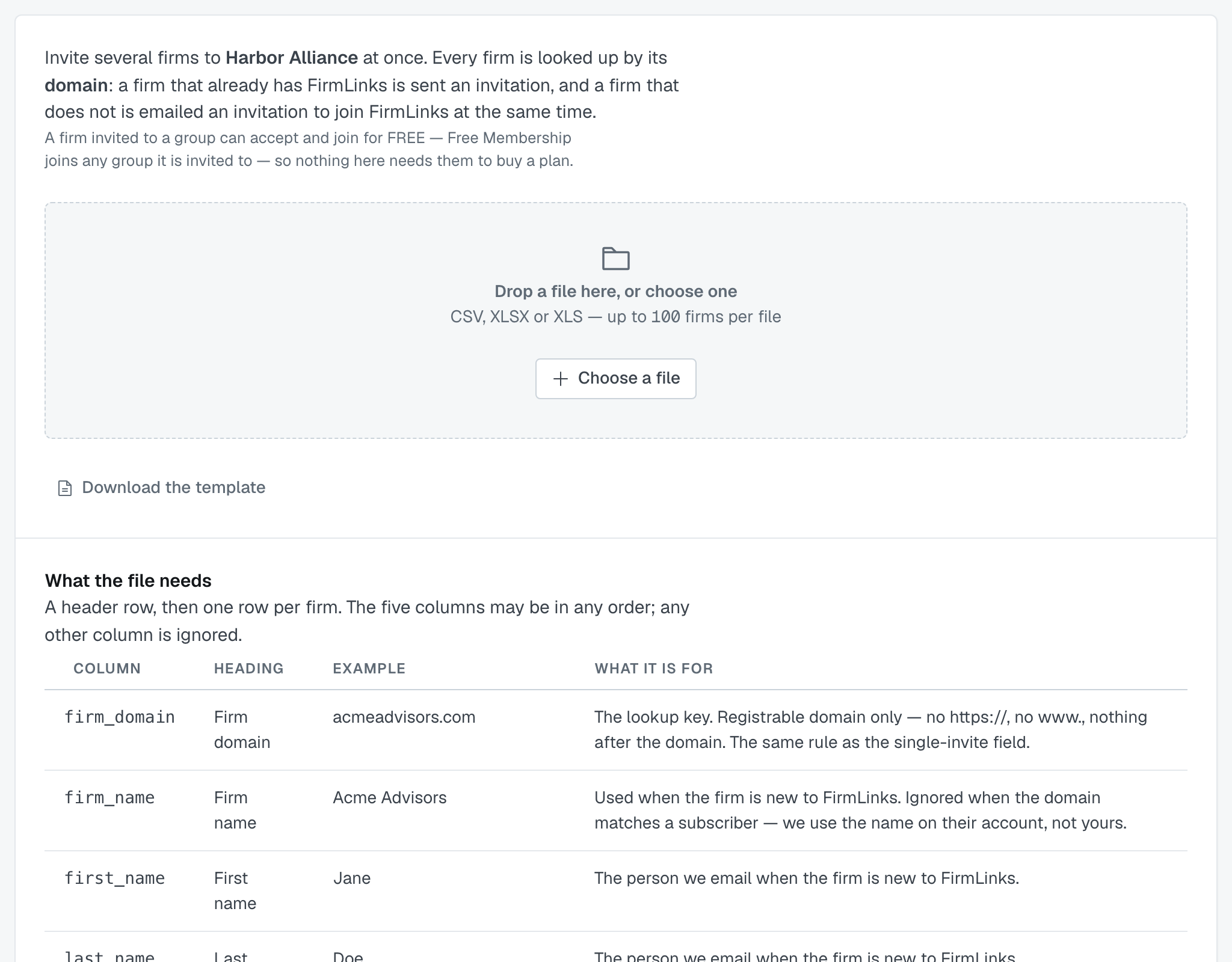
The file
Five required columns: firm_domain · firm_name · first_name · last_name · work_email. Headings may be the machine names or their plain versions. Download the template and paste your rows in if you'd rather not think about it.
Up to 100 firms per file, as CSV, XLSX or XLS.
Five things that stop the whole file
Nothing is sent and there's no review step when the file can't be read, has no header row, is missing a required heading, has no rows, or holds more than 100. Each one tells you what to do about it.
The review step
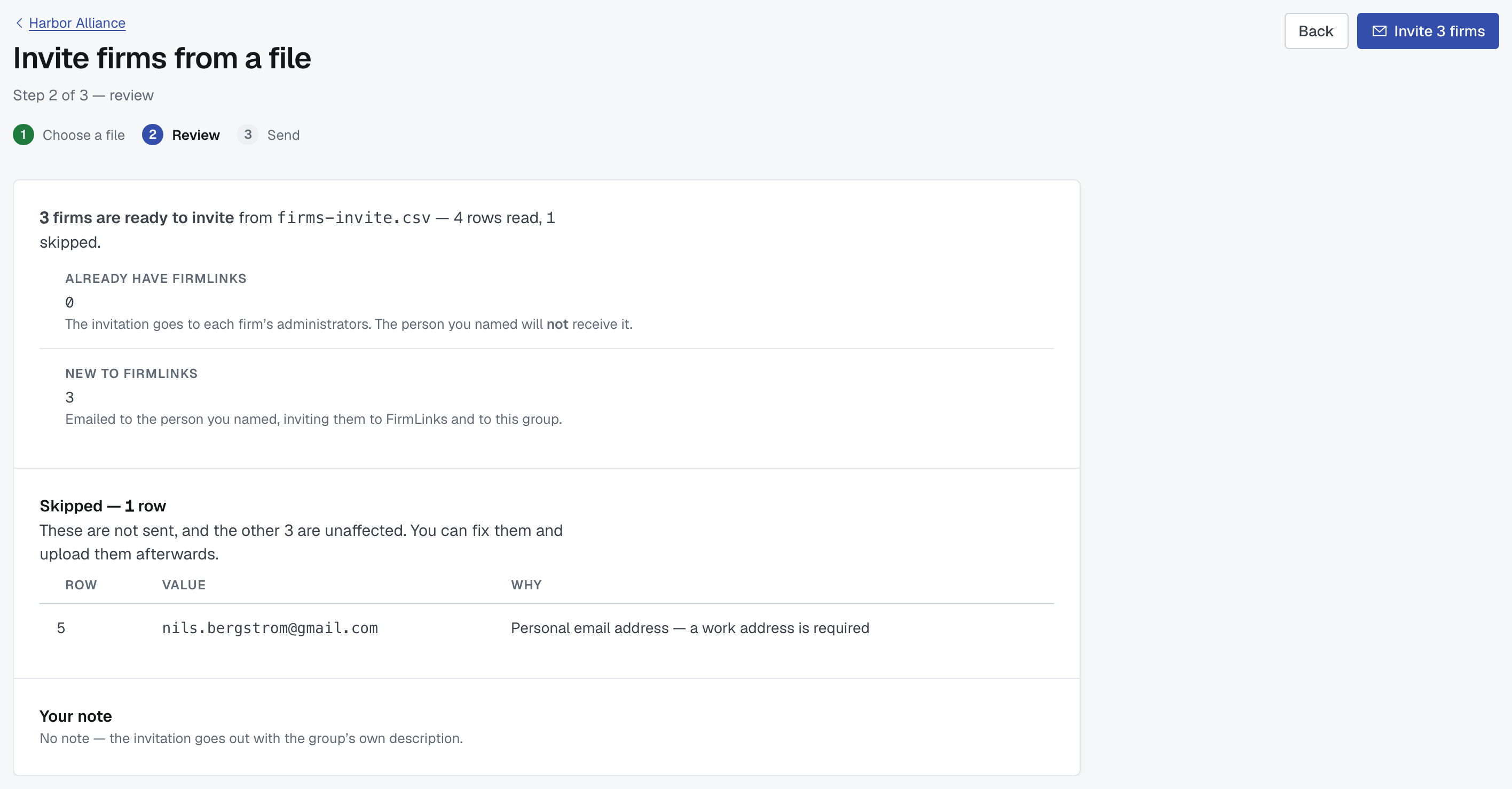
Any readable file reaches review, even if every row would be skipped. Rows that will be sent are listed, and so is every row that will be skipped, with its reason:
- Missing required value:
<column> - Not a domain — remove https:// and anything after the domain
- Personal email address — a work address is required
- Work email is not at
<domain>— the address must be at the firm domain - Duplicate of row
<n>in this file - This is your own firm
- Already a member of this group
- Already invited on
<date>— still outstanding - Declined this group on
<date>— re-invite from Requests
The last three are the group-specific ones, and they're the reason to read the skip list rather than assume a short send went wrong.
⚠️ A firm that declined before is not re-invited from a file. That's deliberate: a bulk upload shouldn't be a way to ask a firm again and again. Re-invite it from Requests, deliberately, one firm at a time.
Sending
Every ready row goes out. Firms already on FirmLinks get a group invitation; firms that aren't get an invitation to the platform that brings them into the group when they join.
A group invitation makes a firm a member as soon as it accepts — unlike an application, which you have to approve.
Afterwards, download the skipped rows as a CSV with the reasons filled in, fix it, and upload again.
Was this article helpful?
That’s Great!
Thank you for your feedback
Sorry! We couldn't be helpful
Thank you for your feedback
Feedback sent
We appreciate your effort and will try to fix the article