What the Find firms screen does
Find firms is the matching screen. You pick the services you need help with, FirmLinks ranks the firms that can do them, and you assemble a set of invitations and send them in one go.
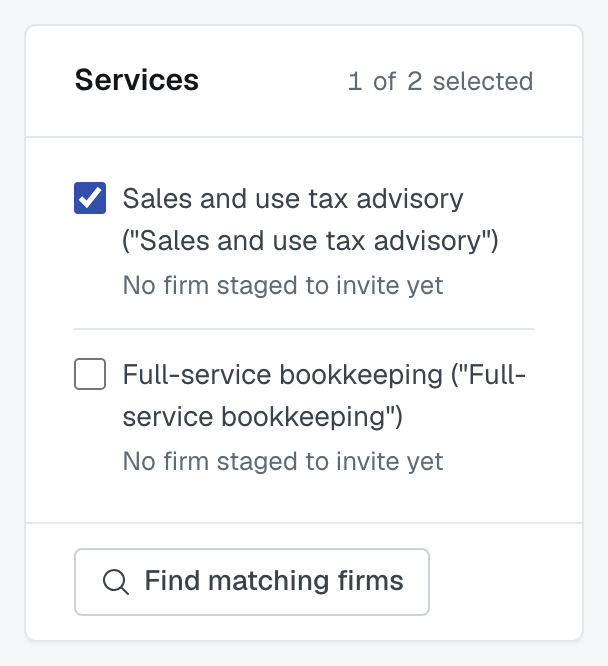
Choosing what you're staffing
The services on the engagement are listed down one side, each showing how many firms you've staged for it — 2 firms staged to invite, or No firm staged to invite yet. Select one or several, and the results show the firms that match everything you've selected: "3 firms match all four selected services."
Every firm that matches is listed. The one exception: if another firm pays for your FirmLinks membership, the results open with that firm alone, with Show more firms beneath it. Press it to see every other match — the firm that pays for you stays at the top. If that firm isn't among the matches, you see the first ten instead.
What the match percentage means
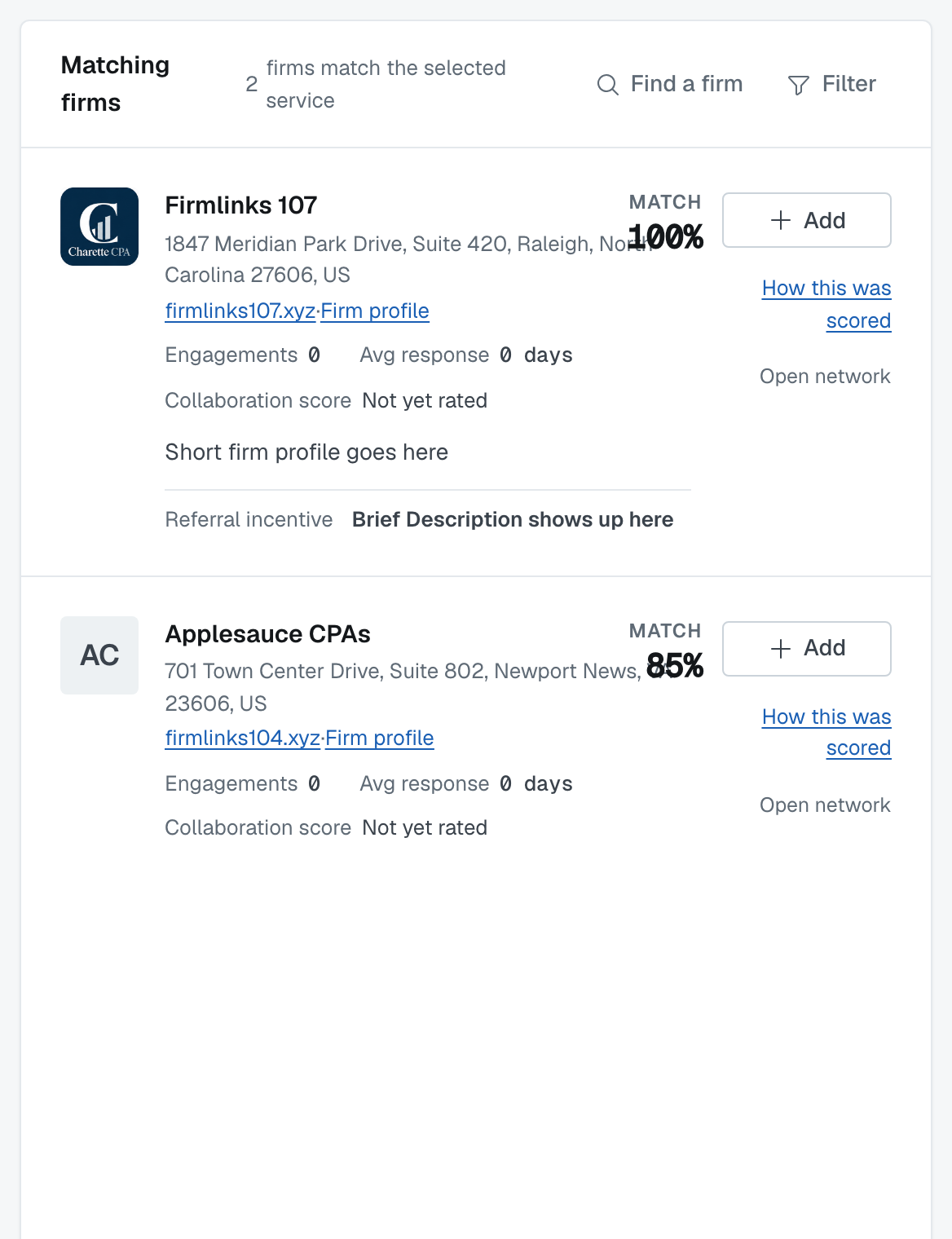
It's capability only. Two dimensions: services, 75% of the score, and client fit, 25%. Each service is scored against its own criteria, so you can open a firm's breakdown and see which service dragged it down.
Past engagements together are not scored. A firm you've worked with ten times doesn't rank higher for that reason — the score answers "can they do this work", not "do we like them". Their track record is shown beside the score (engagements, average response time, collaboration score) so you can weigh it yourself.
Where the firms come from
Filter by connection type: your direct connections, your groups (individually or all of them), or the open network — firms you've never met, if your plan includes open networking.
Look up a firm by name searches only firms you're connected to through a group or a direct connection. It's for "I know who I want", not for browsing the whole platform.
Referral incentives
A firm's card shows what it offers for referred work under Referral incentive. The terms belong to the way you reach that firm: each group you share with it can carry different terms, and so can the open network. When there is more than one, the card shows the first and how many more; open it to see each one, named by the group (or Open network), with the firm's own conditions spelled out: "30% of first-year revenue based on cash received. We need to sign an agreement beforehand." Read them before you refer rather than after.
A direct connection carries no referral incentive, so a firm you reach only through a direct connection shows none.
Already invited
A firm already invited on this engagement says so, naming the services: "Already invited on Application integration services, Application selection advisory." It stops you sending a second invitation for work they're already looking at.
Re-sourcing a service whose award ended
When the lead firm terminates an award, or the awarded firm withdraws, the service stays open. Choose Find Firms from that service's ⋮ menu on the engagement and it opens here like any other service still looking for a firm.
The firm whose award ended can't be invited to that service again. It still appears in the results if it matches, but it is marked Already invited on that service and can't be added. Invite a different firm instead. See Understand service statuses for what ending an award does.
Sending
Add stages a firm against the selected services; the count next to each service keeps track. When you're done, the Invitations Staged to Send panel is what actually goes out.
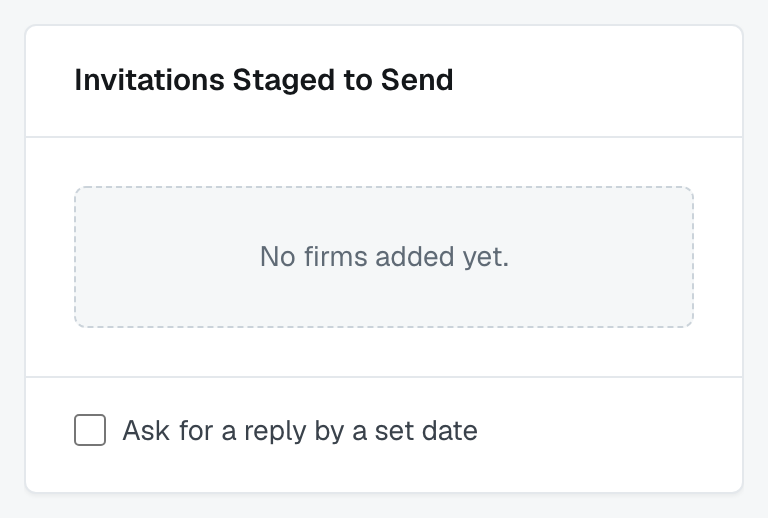
You can set a reply-by date as you send. It's stamped on every invitation in the batch and shown to each firm as Reply by.
The date has to be in the future — a deadline that's already passed can't be requested of anybody. Nothing chases the firms for you when it arrives.
After sending
You land on a summary of exactly what went out — "5 invitations went to 4 firms across 2 services" — grouped by service, with each firm's state. Responses arrive as notifications, and Track invitations you sent covers watching them.
Was this article helpful?
That’s Great!
Thank you for your feedback
Sorry! We couldn't be helpful
Thank you for your feedback
Feedback sent
We appreciate your effort and will try to fix the article