What it is
Your Collaboration Score is one word — Green, Yellow or Red — that says how the firms you have worked with rate collaborating with yours. It's the only thing on FirmLinks that other firms say about you, and it's shown to a firm that is deciding whether to invite you.
It is never a number. There's no star rating, no percentage and no written review — a band, and how many ratings it's based on. That's the whole of it.
Where it shows
Collaboration Center › Overview carries it as its own card, with a line under it saying what it's based on.
It also appears:
- on the Your connections card, on your dashboard rail and in the Collaboration Center, as the Collaboration score row;
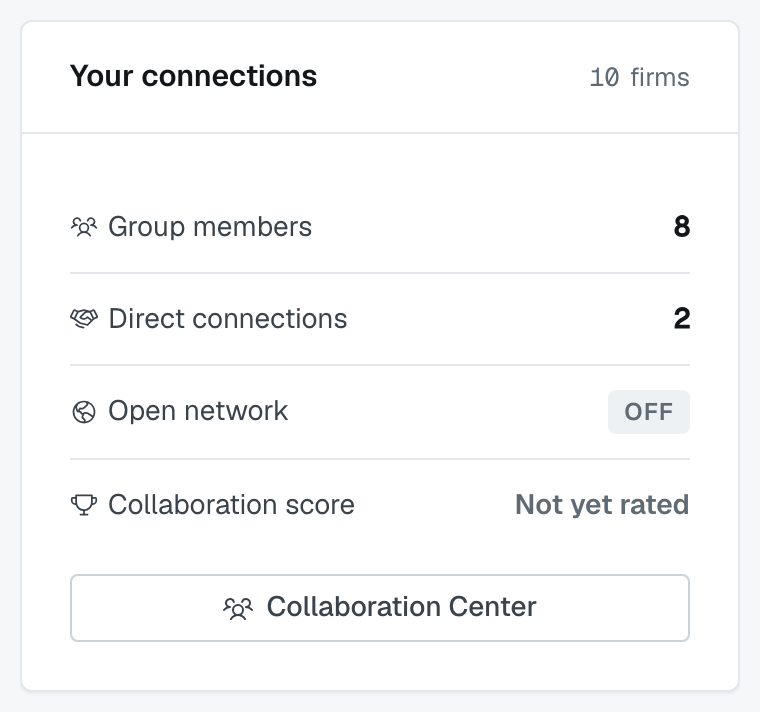
- as the Collaboration Score column on the Firms list, so you can read other firms' bands;

- on a firm's detail page, in the how we are connected rail, written as "Green from 6 ratings";
- on a firm's profile card; and
- beside each firm on the Find firms screen, next to its engagement count and average response time.
The same rules apply to every firm, so what you read about another firm there is what they read about you.
Who rates whom, and when
Ratings only happen when an engagement closes. When an engagement is marked closed won, closed lost or canceled, the firm doing the closing is asked one question about each of the other firms on it: "Would you invite <Firm> to another engagement?" The answer is Yes, No or Not sure, and the screen says why it's asking — your feedback helps other firms know who collaborates well.
Who gets asked about whom is fixed, and you can't choose it:
- The firm leading the engagement rates every outside firm that was awarded a service on it.
- A firm that was awarded a service rates the firm that led the engagement.
- A firm that was invited but never awarded anything rates nobody, and is rated by nobody.
So a bid you lost can't affect your score, and neither can an engagement nobody ever closed.
One answer per firm, per engagement. Answering again replaces the previous answer rather than adding to it, and the screen names who at the firm answered last.
There is no "rate this firm" button anywhere else in the app. You can't rate a firm you haven't closed an engagement with, and you can't ask a firm to rate you.
How the band is worked out
Each answer carries a weight — Yes counts highest, Not sure counts in the middle, No counts zero — and your band comes from the average of every rating your firm has ever received. A firm that keeps getting Yes sits in Green; No answers pull the average down and eventually move you to Yellow and then Red.
Two things are worth knowing about how it counts:
Every rating counts once, every time. It's the average across ratings, not across firms — so a partner firm you work with repeatedly can rate you several times, and all of those ratings count.
Below ten ratings, you show Green. The band needs a body of ratings behind it before it says anything, so until your tenth rating your band reads Green and the line under it says so: based on N rating(s) — firms with fewer than 10 ratings show green.
Why it says "Not yet rated"
Because no firm has rated you yet. The grey Not yet rated chip means your rating count is zero — nothing has gone wrong, and it isn't a bad score. The Collaboration Center spells out what it's waiting for: firms rate collaborating with yours once an engagement is under way.
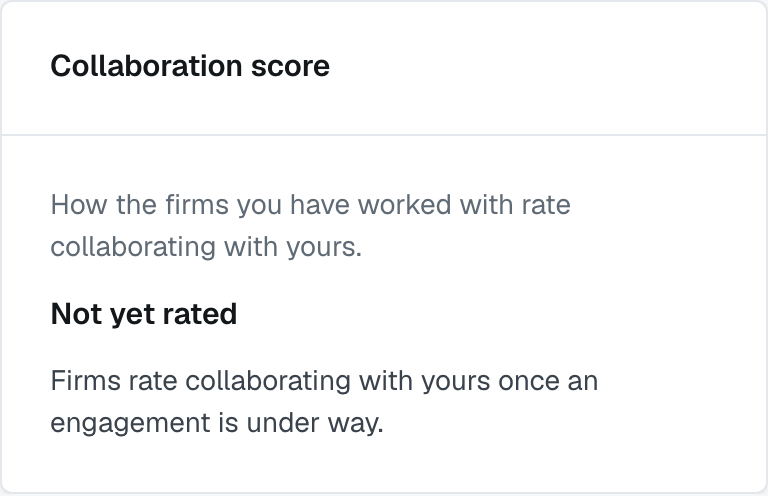
It stays that way until the first engagement you led or were awarded on is closed and the other firm answers the question. New firms, and firms that work through direct connections without closing engagements in FirmLinks, can sit at Not yet rated for a long time.
It costs you nothing. An unrated firm is treated as Green everywhere it matters, including open networking. The chip is grey rather than green only because it would be dishonest to show a colour nobody has earned yet.
Red, and open networking
Open networking needs a Green or Yellow band. If your band is Red, turning open networking on is refused — open networking requires a collaboration score of green or yellow — and if a new rating moves you into Red while open networking is on, the app switches it off.
Nothing switches it back on by itself. Once your band recovers, you turn open networking on again yourself, from Collaboration Center › Open Networking. See Open networking and your referral incentive.
Everything else keeps working. A Red band doesn't touch your direct connections, your groups, your engagements or any invitation already out — it only closes the open-networking channel.
How to improve it
There's no lever on this screen, and that's deliberate: the score is other firms' answers, not a setting.
What moves it is the next engagement. Answer invitations rather than letting them sit, keep the other firm informed in the engagement's message channels, and finish what you take on — the question the other firm is asked is only ever would you invite them again.
Two practical points:
- Time helps. Every new Yes is averaged in with the rest, so a run of good work pulls the average up. Nothing is removed as it ages.
- Volume helps. Below ten ratings you show Green anyway; past that, the more ratings sit behind your band, the less one bad engagement moves it.
You can't see who rated you or what they said, and there's no dispute or appeal path in the app. If you think a rating is wrong, the conversation to have is with the firm that gave it.
Was this article helpful?
That’s Great!
Thank you for your feedback
Sorry! We couldn't be helpful
Thank you for your feedback
Feedback sent
We appreciate your effort and will try to fix the article