When to use a file instead of one invitation at a time
If you've come back from a conference with forty firms, inviting them one at a time is an afternoon. Invite from a file does the lot, shows you exactly what will happen before anything is sent, and tells you why anything was skipped.
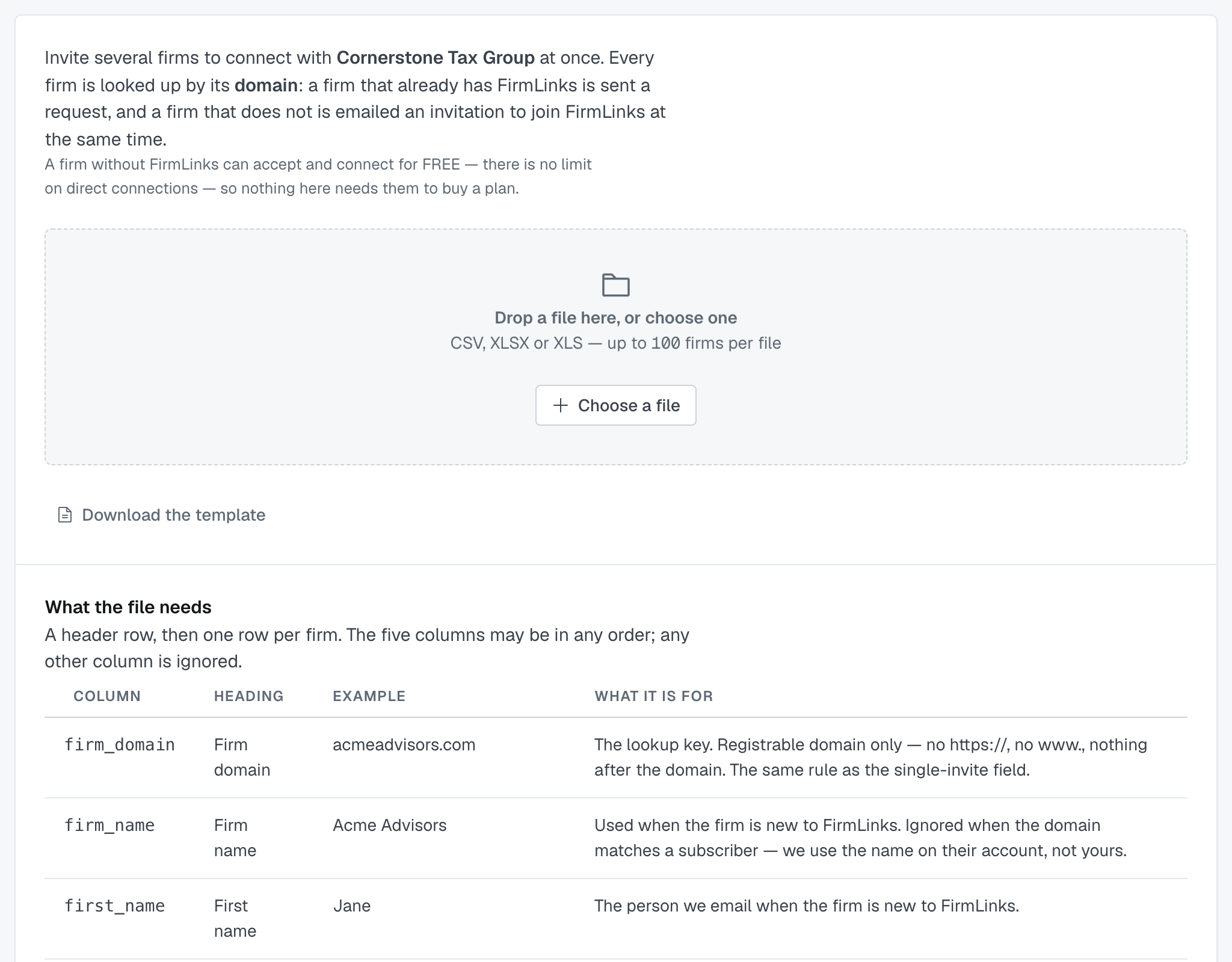
Administrators only, same as single invitations.
The file
Five columns, and all five are required:
firm_domain · firm_name · first_name · last_name · work_email
The headings can be the machine names above or the plain versions (Firm domain, Work email). Nothing looser — email or domain on their own are ambiguous in a spreadsheet somebody assembled by hand, and guessing wrong would mean invitations to the wrong people.
Download the template and paste your rows into it if you'd rather not think about headings.
Up to 100 firms per file. CSV, XLSX or XLS. Split a longer list.
⭐ firm_name is the one people leave out, and it's required: a firm that isn't on FirmLinks yet can't be invited without a name, so a file missing that column fails on exactly the rows the feature exists for.
Five things that stop the whole file
If any of these is true, nothing is sent and there's no review step:
- The file couldn't be read — save it as CSV, XLSX or XLS and try again.
- No header row — add one, or paste into the template.
- A required heading is missing — it names which.
- No rows.
- Over 100 rows — it tells you how many you sent.
The review step
Any file we can read reaches review, even if every row in it would be skipped — you still need to see why.
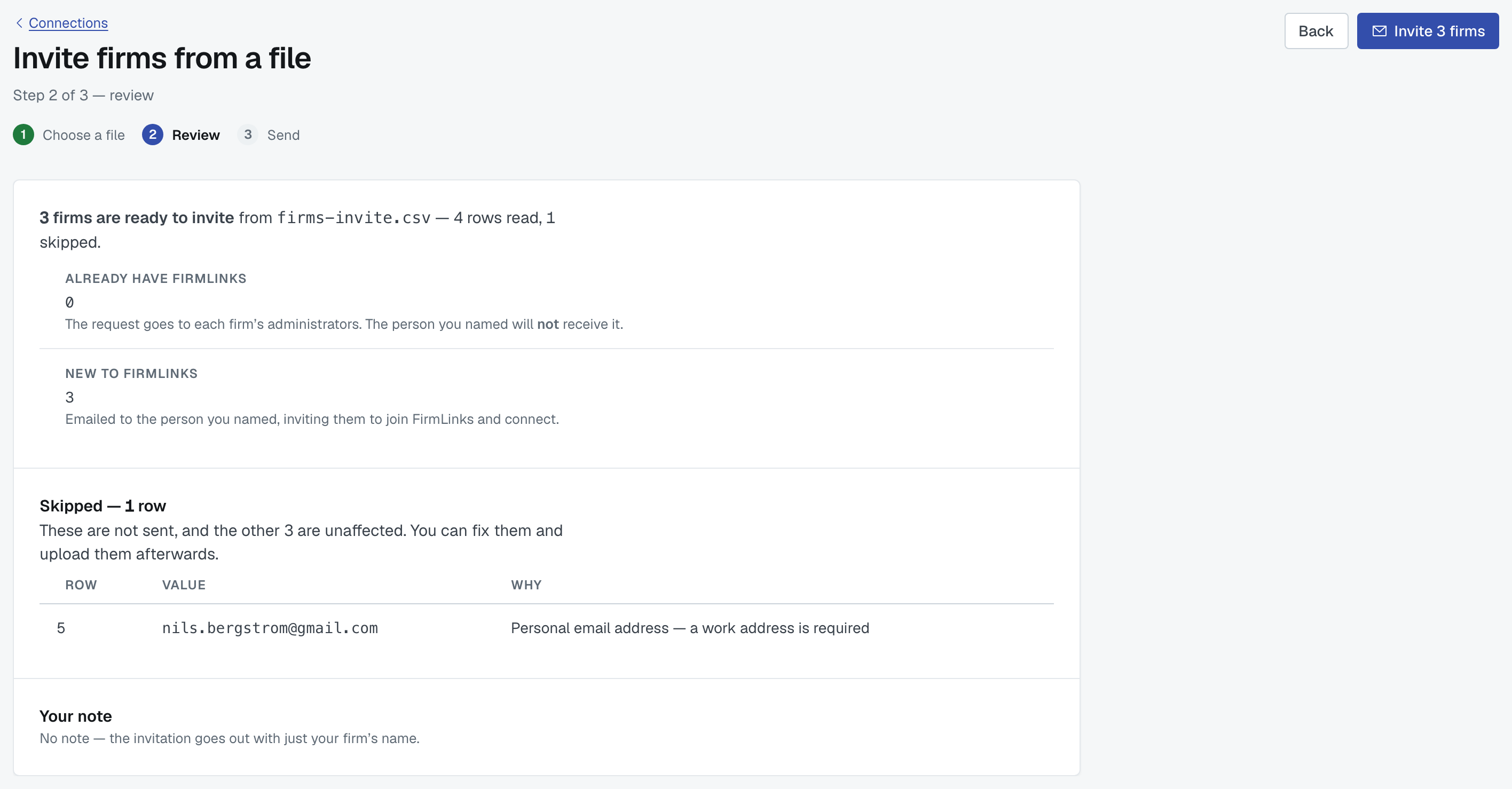
You get two lists: the rows that will be sent, and the rows that will be skipped with a reason in plain English against each:
- Missing required value:
<column> - Not a domain — remove https:// and anything after the domain
- Personal email address — a work address is required
- Work email is not at
<domain>— the address must be at the firm domain - Duplicate of row
<n>in this file - This is your own firm
- Already a direct connection
- A request is already outstanding — sent
<date>
A skipped row never stops the others. Fix the file and upload again, or send what's good and deal with the rest later.
Sending
Press send and every ready row goes out — a connection request to firms already on FirmLinks, a platform invitation to firms that aren't.
Afterwards you can download the skipped rows as a CSV, which opens in a spreadsheet with the reason column filled in. That's the file to correct and re-upload.
Was this article helpful?
That’s Great!
Thank you for your feedback
Sorry! We couldn't be helpful
Thank you for your feedback
Feedback sent
We appreciate your effort and will try to fix the article