Finding groups you are not in yet
Browse public groups is how you find networks you're not in yet.

Any firm on FirmLinks can apply to a public group, but only administrators can apply on their firm's behalf. You see what it is and how big it is — not who is in it — until you are a member.
Each row shows the group's name, its one-line description, its type (member-to-member or member-to-host) and its member count. Search by name, or filter by type.
View opens the group's preview. Under the group's name and short title, About this group lists its Description, its Type with a line on what that type means, the Host firm (member-to-host groups only), the number of Member firms and its Visibility. An Applying card sits beside it. Apply starts an application.
Only administrators can apply
Applying to a group is for your firm's administrators only. Everyone can browse the list and open a group's preview, but if you are not an administrator the Apply buttons — on the list and Apply to join on the preview — are greyed out, with the note "Only administrators can apply to join a group." Ask one of your firm's administrators to apply; Roles explained: Regular, Editor, and Admin says who they are.
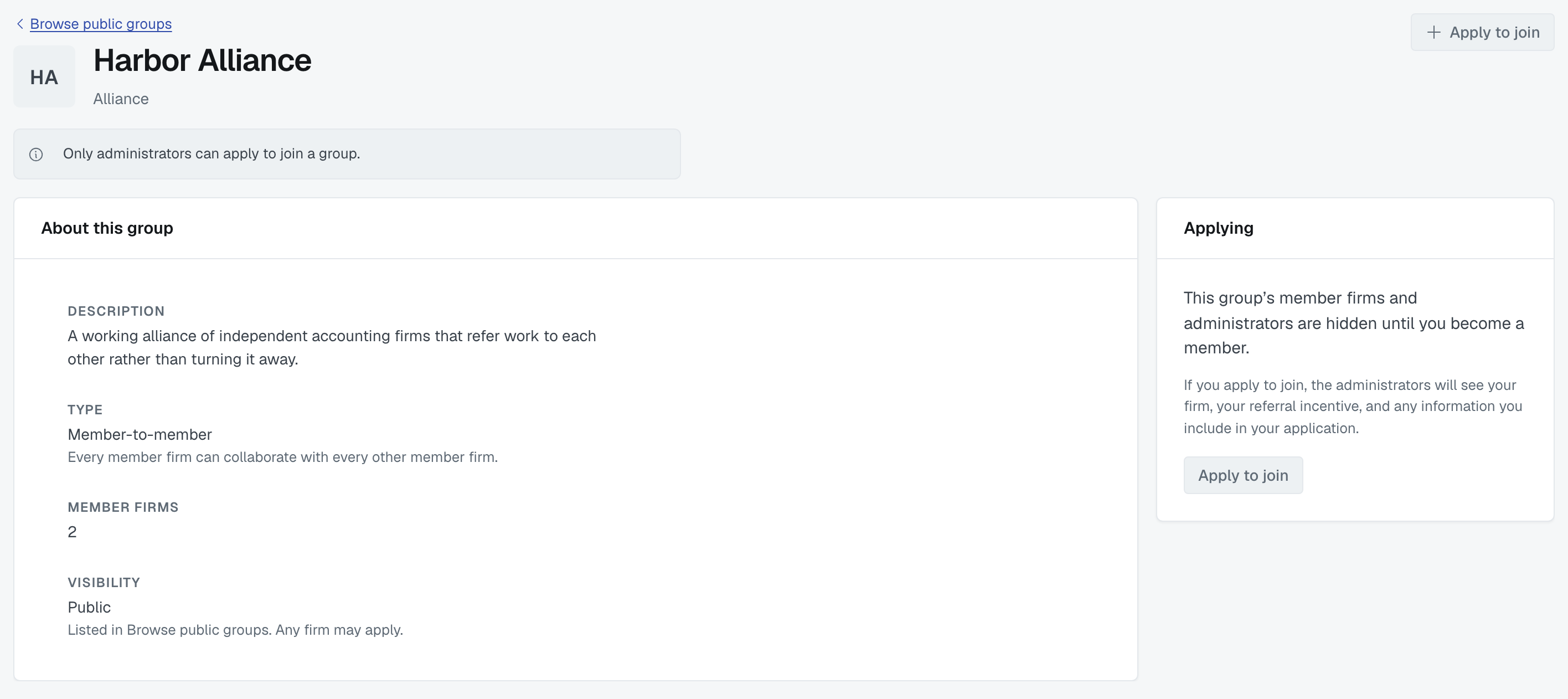
The same goes for withdrawing an application once it is sent: on the group's preview, a non-administrator sees "Only administrators can withdraw an application."
Private groups aren't here
A private group is listed nowhere. You join one when an administrator invites you, and that arrives in Requests.
Applying
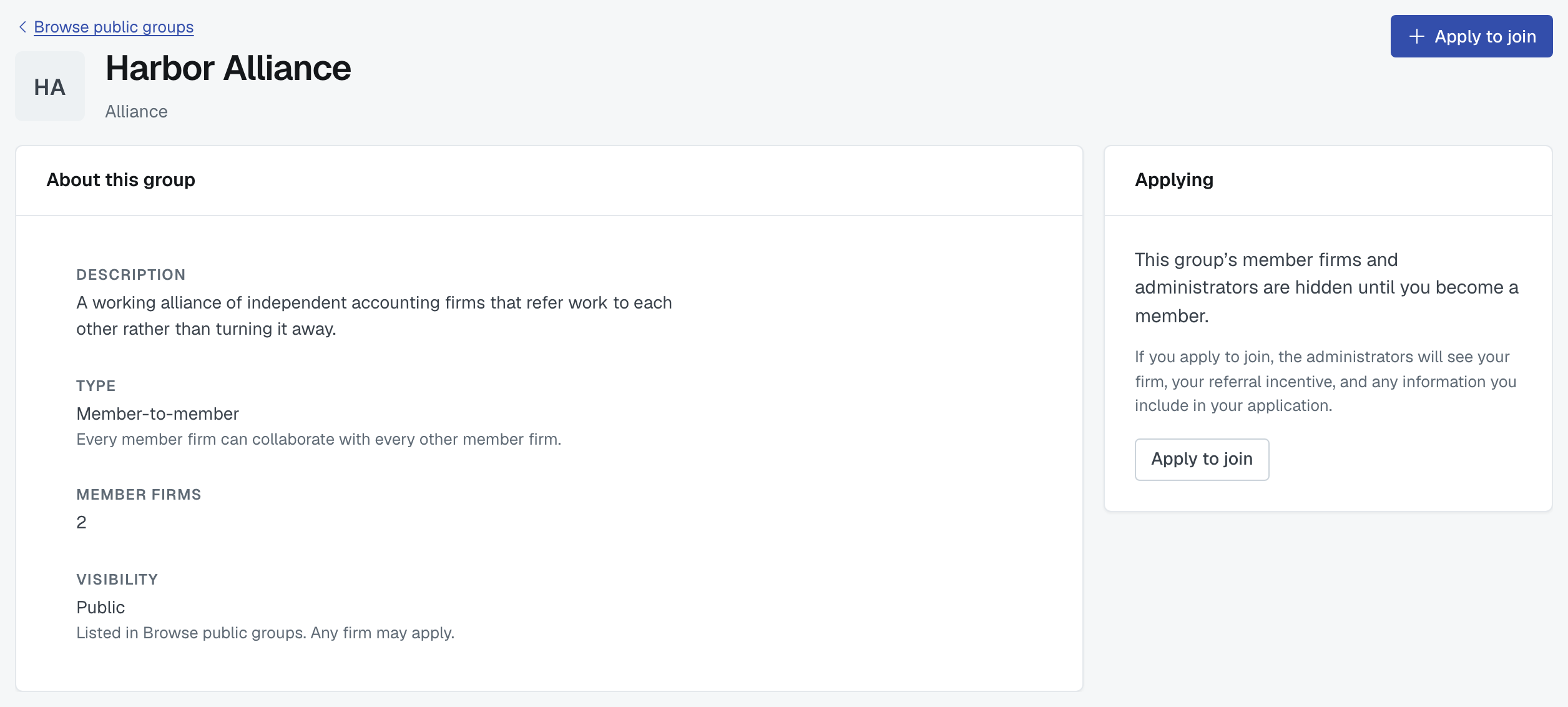
You're applying on behalf of your firm, and the screen says what accepting would mean: if the administrators accept, every member firm becomes matchable to yours.
Two things to fill in:
Why do you want to join? This one is required — Send application stays unavailable until you've written something. The administrators read it beside your firm's profile, and it's most of what they decide on.
Your referral incentive to this group — the question is Do you offer a referral incentive?, Yes or No. On Yes you fill in a Brief description and the Incentive details. It's separate from the terms you offer on the open network, and it's shown to member firms when you match with them. If you've already written terms for open networking or another group, a Copy existing terms from list fills the two boxes from them, and you can edit them afterwards.
For a member-to-host group there's no incentive to set — members work with the host, not with each other, so why you want to join is all it asks for.
Applying never joins you
An administrator has to accept. Your application sits at Applied on the browse list and under Requests › Waiting on them, where an administrator can cancel it. Your administrators hear by email when the group decides, unless they have switched Connections emails off in My Notifications: choose which emails you get and how often.
Being accepted
Your firm becomes a member, the group appears under your Groups, and its member firms become matchable to yours — everyone, in a member-to-member group; the host, in a member-to-host one.
What you can then see depends on the type. In a member-to-member group, the group's Members tab opens up: every member firm, what each one offers the group, and when it joined. In a member-to-host group there's no roster to open — you work with the host rather than with the other members, so the Members tab stays empty for you. Either way, the firms you gained are the ones that now turn up on Find firms, where a Group filter narrows the matches to this group. See Manage a group: members, requests, incentive, activity.
Being turned down
It's not permanent and it's not personal — most groups have a shape they're filling. You can apply again later, and nothing stops you connecting directly with any firm in it.
Was this article helpful?
That’s Great!
Thank you for your feedback
Sorry! We couldn't be helpful
Thank you for your feedback
Feedback sent
We appreciate your effort and will try to fix the article