The rule in one sentence
The form you create an engagement on says it where you type the client in: client information is only released to an invited firm after they have agreed to the confidentiality terms.
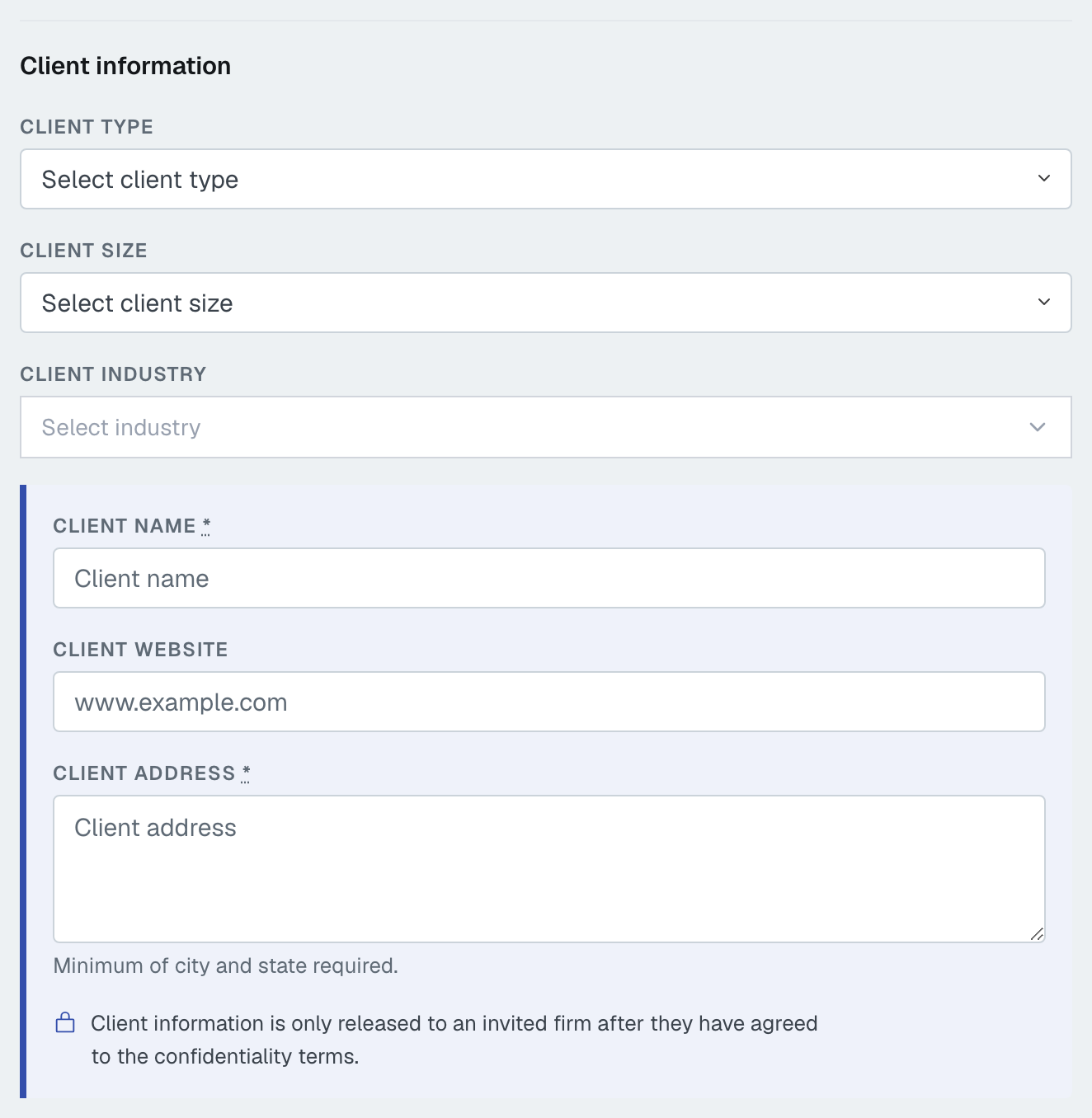
Until a firm takes that step, it can read the work and not the client.
Why the client shows as Confidential
Open an engagement your firm was invited to and the Client card's Name row reads Confidential, with a View client information link under the card. Nothing has gone wrong and nothing is missing: the lead firm owns the client relationship, and the identity is held back from every other firm on the engagement until that firm agrees to protect it.
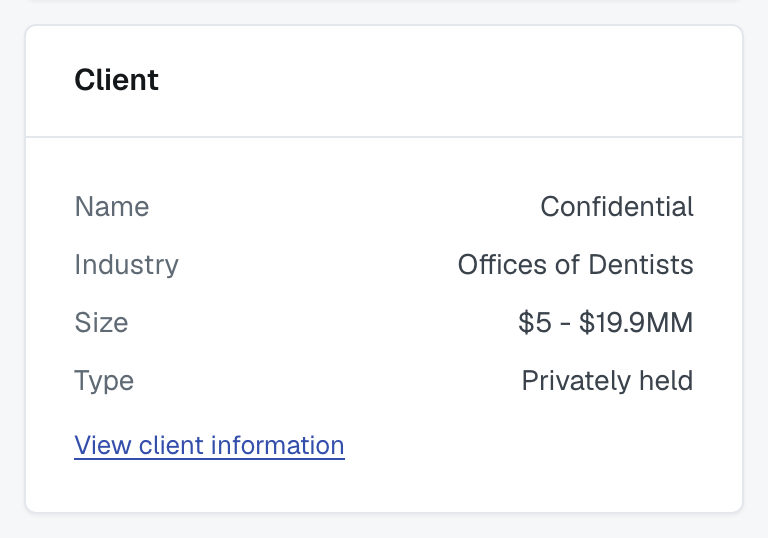
The lead firm never sees this — its own people always see their own client.
What an invited firm can see before it agrees
Everything it needs to decide whether to bid:
- the engagement's Title and Description
- the services, their requirements and where the work is
- the lead firm's name, its contacts, the partner role and the time frame
- the client's Type, Size and Industry
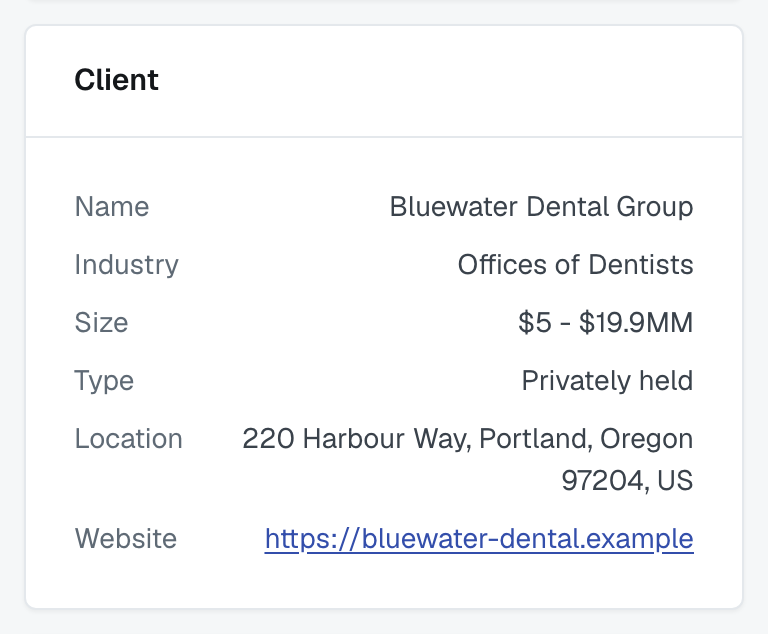
Three things are withheld, and they are withheld together: the client's Name, Location (the address) and Website. The website goes with the name on purpose — a company's domain identifies it as surely as its name does, so releasing one while hiding the other would give the answer away.
If you lead the engagement, keep the client out of the title and description. Those two are read by every invited firm before anyone has agreed to anything. Describe the work instead — "Manufacturing client, Q4 audit" rather than the client's own name. The AI assistant follows that rule when it writes them; if you type them yourself, it is on you.
How an invited firm unlocks it
There is one door, and it is an agreement.
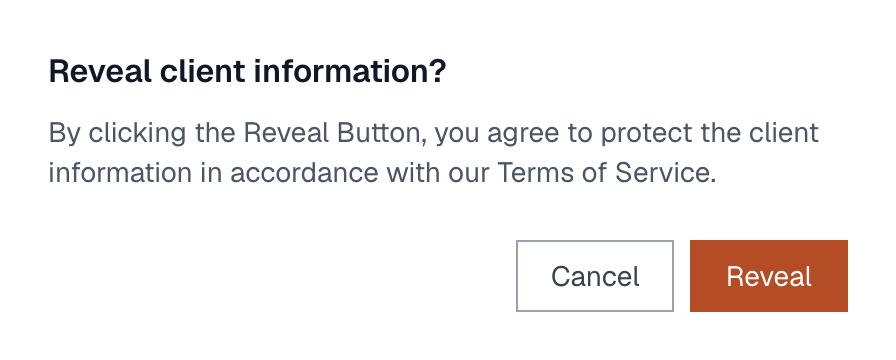
Choose View client information under the Client card. A dialog asks Reveal client information? and says: by clicking the Reveal button, you agree to protect the client information in accordance with our Terms of Service. Choose Reveal and the Client card fills in — name, location and website.
Nothing else reveals the client. Accepting an invitation doesn't, being awarded the work doesn't, and neither does any other change of status. Even after your firm has won the service, each person still presses Reveal before they see who the client is.
Two details worth knowing:
- Every reveal is recorded — which engagement, which firm, which person, and the client's name as it stood at that moment. It exists so a conflict check can be evidenced later.
- It is per person, not per firm. A colleague revealing the client does not reveal it for you: each person at the invited firm clicks their own Reveal. Your own reveal sticks from then on.
Who can view it
Access is by firm, not by job title. Anyone signed in at a firm that is on the engagement can open it and agree for themselves — member, editor and admin alike. There is no extra permission to grant and nothing for an admin to approve.
A firm that is not on the engagement cannot open it at all, so the question never arises for them.
The same goes for a firm that created the engagement on behalf of another firm, or a collaboration team managing it: its people reveal the client with the same button, and each reveal is logged like any other.
You can't change client information once a firm has been invited
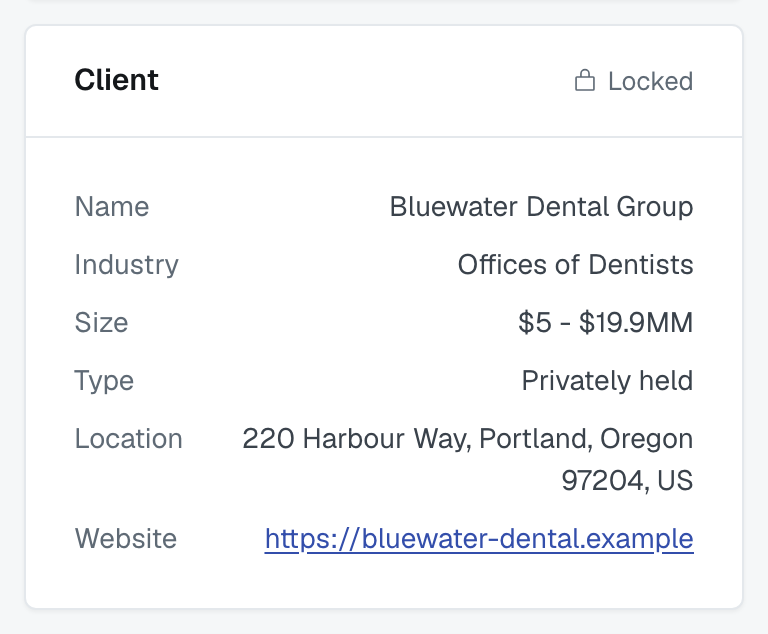
As soon as any firm has been invited to any service on the engagement, the Client card shows a padlock and the word Locked, and the pencil that edits it disappears. That is deliberate, and it is the same rule that locks the Scope panel: what a firm agreed to protect must not change underneath it after the fact.
So:
- Before you invite anyone — the pencil on the Client card is there, and name, website, address, type, size and industry are all yours to correct.
- After you invite a firm — the card is read-only. The lock lifts only if the engagement ends up with no invitations left on it at all; cancel every invitation and the pencil comes back.
- If a detail is genuinely wrong and cancelling isn't sensible, tell the firms on the engagement in Messages — but keep confidential client detail out of the message itself. See Message the other firm on an engagement.
Was this article helpful?
That’s Great!
Thank you for your feedback
Sorry! We couldn't be helpful
Thank you for your feedback
Feedback sent
We appreciate your effort and will try to fix the article