What this page sets
Settings › Industries is where you say which industries your firm specializes in. It's used in matching, alongside your services and your locations.
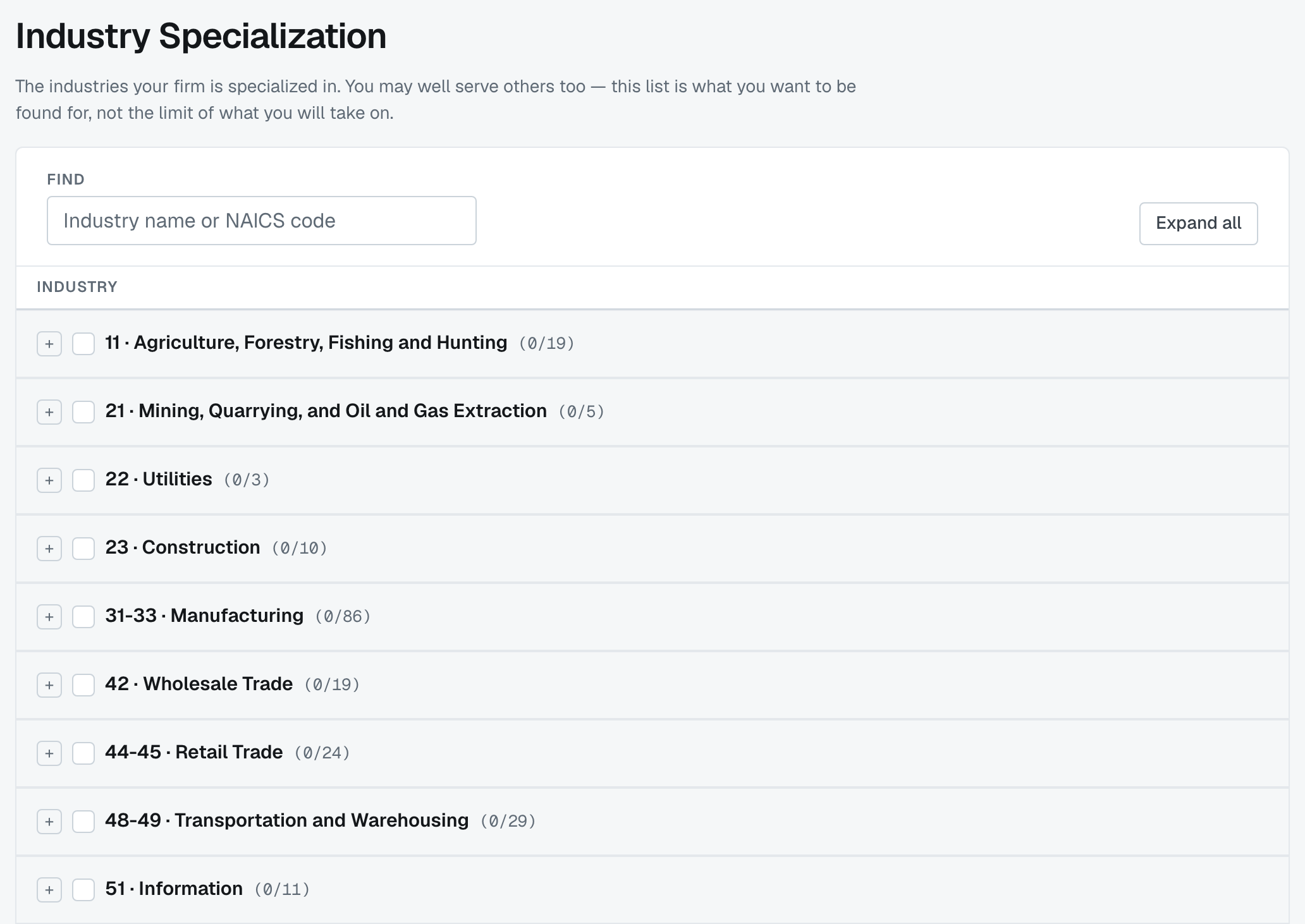
Admins and editors can change it, and it autosaves as you go.
What the list is for
The screen puts it plainly: you may well serve others too — this list is what you want to be found for, not the limit of what you will take on.
So tick the industries where you'd win the work on expertise: where you know the regulators, the seasonality, the accounting quirks. Ticking everything is the same as ticking nothing, because it stops telling anybody what you're actually good at.
How it's arranged
Standard industry classifications, as a tree: sector (31-33 · Manufacturing) → group (111 · Crop Production) → industry (1111 · Oilseed and Grain Farming). Each parent shows how many of its children you've ticked, so you can see at a glance where you're covered.
Tick at whatever level is true. A firm that does every kind of manufacturing can tick the sector; one that only does poultry ticks the one line.
The tree opens with your selections on show. Any branch with nothing ticked inside it starts closed, so the industries you've picked stand out. Open a branch with its +, or press Expand all above the tree to open every branch at once — handy when you're still choosing and want to browse. You can close any branch again afterwards.
Find searches the whole tree as you type, by industry name or code — quicker than opening branches when you know what you're after. Matches show even inside branches that would otherwise start closed.
Where it shows up
- Matching — a firm looking for help with a client in an industry you've ticked sees you higher.
- Your firm profile — other firms read it when deciding whether to invite you.
- Per-service industry limits — on Settings › Services you can say that a particular service is only offered to certain industries. That's a narrowing of one service, not a substitute for this list.
If the AI scan filled it in
Read it before you move on. The scan takes industries from your own website, so it's usually close but tends to be generous — anything mentioned once can end up ticked. Untick what you wouldn't actually pitch for.
Was this article helpful?
That’s Great!
Thank you for your feedback
Sorry! We couldn't be helpful
Thank you for your feedback
Feedback sent
We appreciate your effort and will try to fix the article