What Find New Services with AI is for
Your service list is long, and nobody enjoys working through 2,000 rows. Find New Services with AI, on Settings › Services, reads your website and any documents you give it and comes back with services you look like you offer that aren't on your list yet.
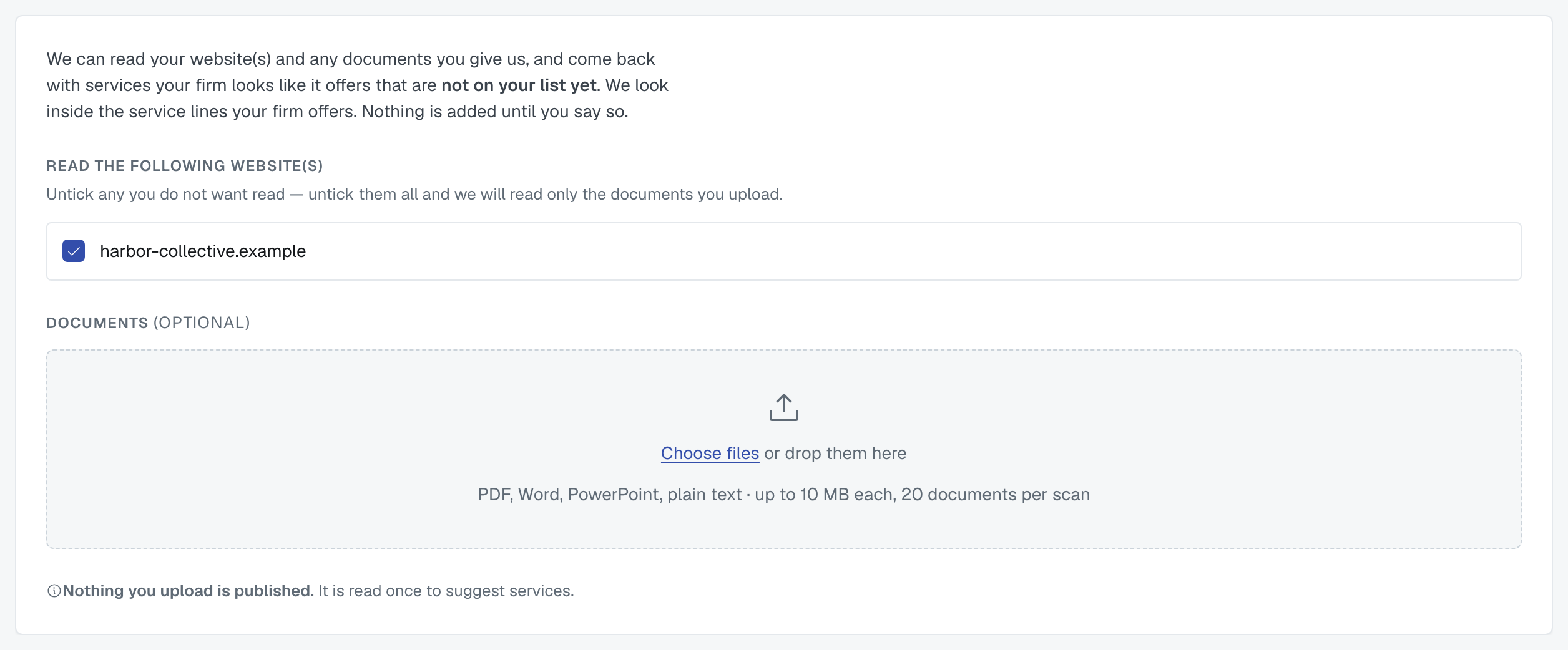
It's the same scan as the one during setup, run from a different door — so you can use it any time, not just in your first week.
What it reads

Your firm's verified websites. Each is listed with a tick. Untick any you don't want read; untick all of them and only your documents are read. Domains come from your firm profile, and an admin adds or verifies them there.
Documents you upload — a service catalogue, a capability statement, a proposal, a deck. Up to 20 files, 10 MB each: PDF, Word (.docx), PowerPoint (.pptx), plain text, RTF, CSV or Excel. Nothing you upload is published; it's read once and not stored.
⚠️ The pre-2007 formats .doc and .ppt are refused, because they can't be read reliably — save the file as .docx or .pptx first.
It looks only inside the service lines you hold
That's on purpose. A service line is a deliberate statement about what your firm does, so the AI never proposes one. If you want it to look somewhere new — you've acquired a practice, or moved into legal work — add that service line first under Manage Service Lines, then scan.
A firm holding no service lines can't start a scan at all, and is told why rather than being handed an empty result.
Reading the results
You get a list of candidates, each with where it was found (Services page, 2 documents) and how confident we are. At the bottom, What we read — every site and document, with how many pages came out of each.
Nothing is saved until you say so. Untick anything wrong and add the rest.
Two things about what's not in the list:
- Services you already offer are left out, and the count is shown — otherwise the first question is always "why isn't X here?"
- Candidates outside your service lines are not shown, because the scan never looked there.
Every run starts clean: it doesn't remember what you unticked last time.
While it runs
A scan on a large site takes minutes. You can leave the page — it keeps going, and you can come back to the results. Nothing emails you when it finishes; it's quick enough to wait for, and the page tells you where it's up to.
Was this article helpful?
That’s Great!
Thank you for your feedback
Sorry! We couldn't be helpful
Thank you for your feedback
Feedback sent
We appreciate your effort and will try to fix the article