Why you'd share the job out
A full service list is a big job for one person, and the people who know the tax work usually aren't the people who know the audit work. Ask others to help, on Settings › Services, hands part of it to your colleagues.
How it works
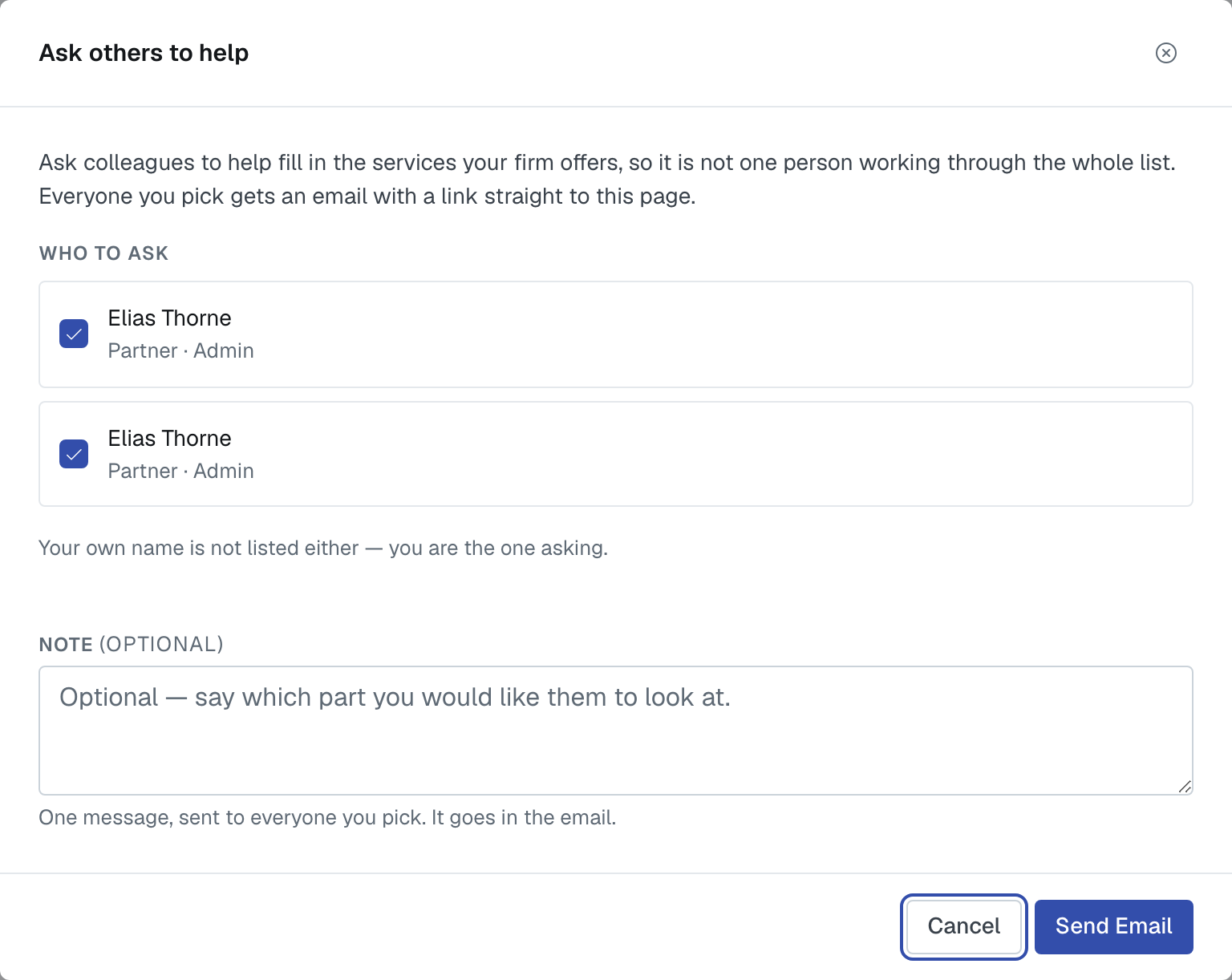
Open it and you get a list of colleagues to tick. Everyone you pick gets an email with a link straight to the services page, so they land where the work is instead of hunting for it.
Who's on the list, and who isn't
Only admins and editors. They're the roles that can change services, so asking anybody else would be asking them to do something the app then refuses. If colleagues are missing, the dialog says how many and why.
Your own name isn't there — you're the one asking.
If there's nobody to ask, the dialog says so plainly and points you at Users, where you can add a colleague or change somebody's role. Either makes them appear here.
Asking again
Somebody already asked shows the date they were asked and starts unticked. That's deliberate: re-asking should be a decision, not a thing that happens every time you open the dialog.
Getting a useful answer
Tell people which part is theirs before you send it — the email says "help with the services list", not "do the tax section". A quick message naming who takes which service line turns this from a nudge into a plan.
Was this article helpful?
That’s Great!
Thank you for your feedback
Sorry! We couldn't be helpful
Thank you for your feedback
Feedback sent
We appreciate your effort and will try to fix the article