Who can change a role
Every person at your firm is an Admin, an Editor or a Regular user. Only an admin can change a role, on Settings › Users.
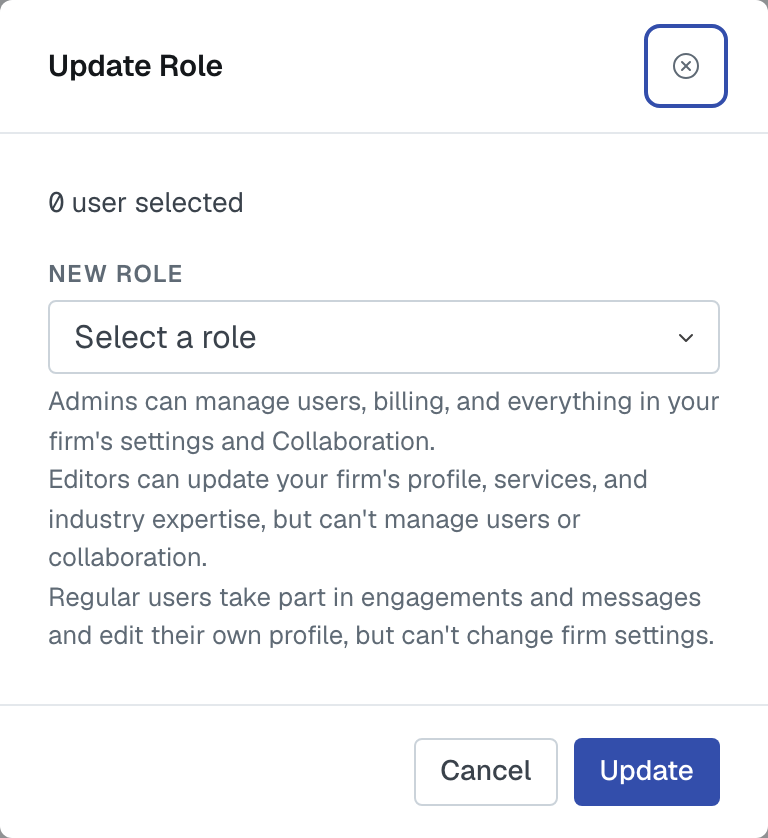
Doing it
Update Role on somebody's row (or select several and use Bulk Edit to move them together), pick the new role, and update. It takes effect immediately — no invitation, no email, nothing for them to accept. If they're signed in, the change applies to their next action.
What each role can do
Regular — the everyday role. Everything in the engagement flow: create engagements, add services, find and invite firms, award work, assign colleagues, message, and read your network. They can edit their own profile and nothing else about the firm.
Editor — all of that, plus your firm's shop window: the firm profile, the industries you serve, and the services your firm offers.
Admin — all of that, plus everything that runs the account: people and roles, every action that commits the firm to another firm (connections, groups, invitations, applications, referral terms, open networking), your engagement statuses, webhooks, domains, and the subscription.
Roles explained has the full breakdown.
The one thing you can't do
You can't change your own role, and you can't deactivate yourself. The page says so, and the server refuses it even if the button somehow appeared.
The reason is to stop a firm locking itself out: if the last admin could demote themselves, nobody would be left who could put it right. So keep at least two admins. A firm with one admin is one holiday away from being unable to invite anybody, verify a domain or change its plan.
To step down, have another admin change your role.
Choosing roles well
Admin for the people who run the firm's account — usually a partner and a practice manager. It's the role that can spend money and commit you to other firms.
Editor for whoever keeps your services and profile current. This is the underrated one: your services list is what you get matched on, and it goes stale quietly. Give it to someone who'll maintain it.
Regular for everybody else. It's not a limited account — a Regular user can run engagements and win work. It just can't rewrite what the firm says about itself.
Was this article helpful?
That’s Great!
Thank you for your feedback
Sorry! We couldn't be helpful
Thank you for your feedback
Feedback sent
We appreciate your effort and will try to fix the article