Where all three live, and who can do them
All three live on Settings › Subscription, and all three are admin-only. The important thing is that downgrading and cancelling are completely different acts, and the screen is careful about saying so.
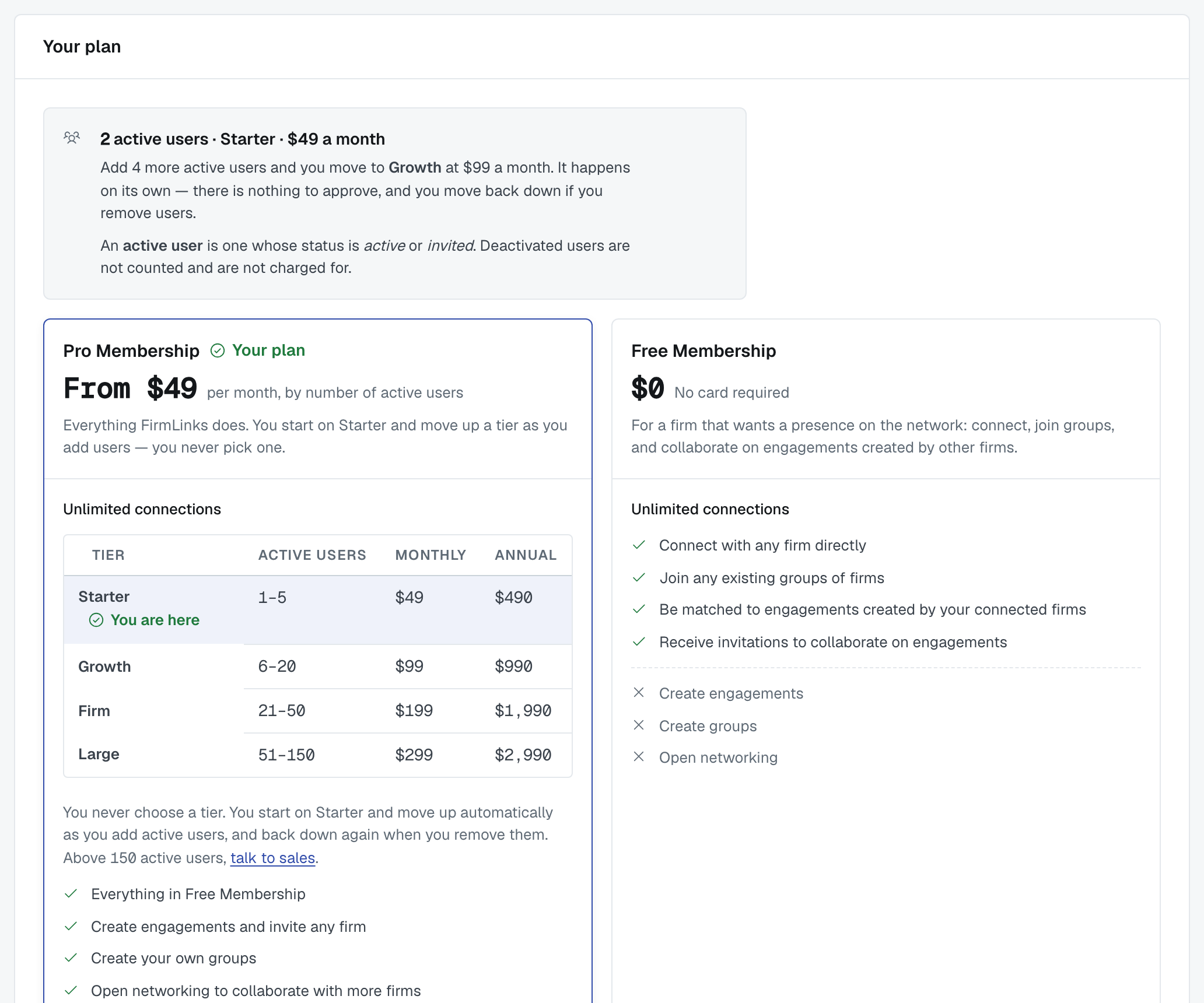
Upgrading
Free → Pro is a checkout: you're taken to Stripe, you pay, and the Pro features switch on. See Checkout: what to expect.
Moving up a Pro tier is not something you do. It happens as you add active users, and the screen tells you where you stand: "Add 9 more active users and you move to Firm at $199 a month. It happens on its own — there is nothing to approve, and you move back down if you remove users."
Above the top tier (more than 150 active users) your price is agreed with us directly, and the page says so. Its Talk to sales link opens an email to sales@firmlinks.io.
Downgrading to Free
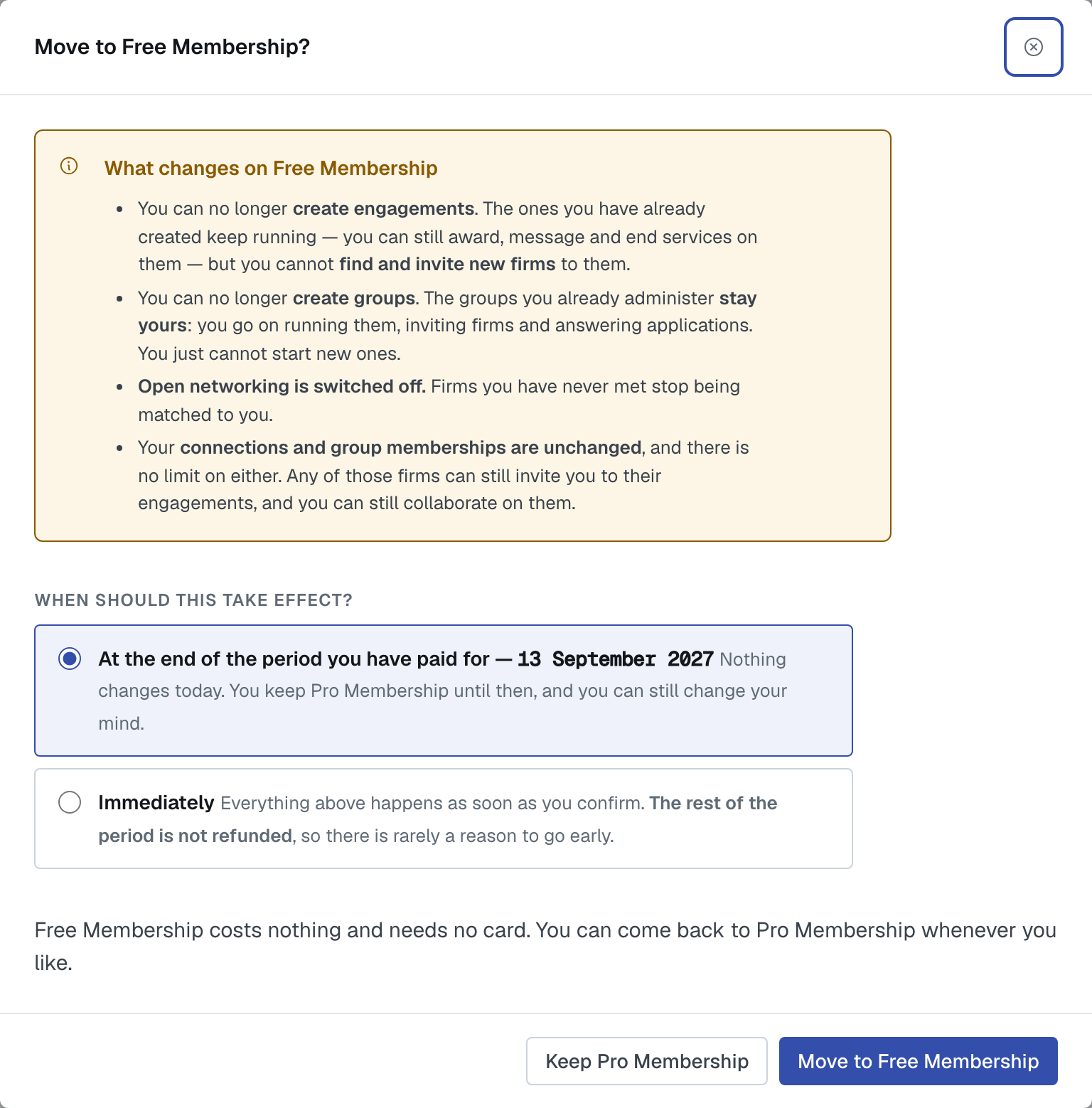
What changes, in the screen's own words:
- You can no longer create engagements. The ones you've already created keep running — you can still award, message and end services on them — but you can't find and invite new firms to them.
- You can no longer create groups. The groups you already administer stay yours: you go on running them, inviting firms and answering applications. You just can't start new ones.
- Open networking is switched off. Firms you've never met stop being matched to you.
- Your connections and group memberships are unchanged, with no limit on either. Any of those firms can still invite you to their engagements.
Nothing blocks a downgrade — not even being the sole administrator of a group, because you keep administering the groups you already have.
Cancelling
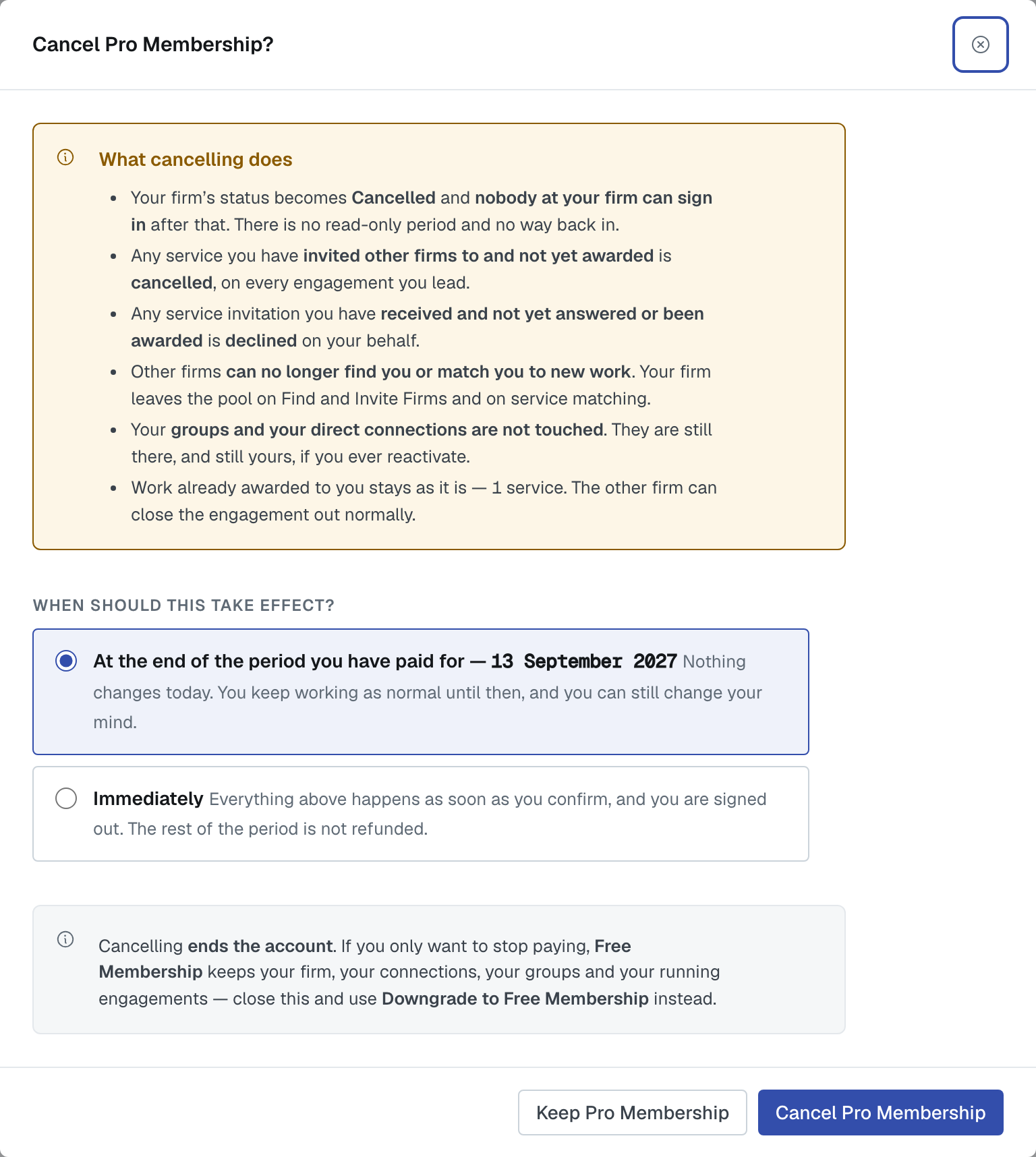
Cancelling ends the account. What it does:
- Your firm's status becomes Cancelled and nobody at your firm can sign in after that. There's no read-only period.
- Any service you've invited firms to and not yet awarded is cancelled, on every engagement you lead.
- Any invitation you've received and not yet answered or been awarded is declined on your behalf.
- Open networking is switched off and your firm leaves the matching pool.
- Your groups and your direct connections are not touched. They're still there, and still yours, if you ever reactivate.
If you only want to stop paying, downgrade to Free instead. Free keeps your firm, your connections, your groups and your running engagements.
Immediately, or at the end of the period
Both downgrade and cancel ask when:
At the end of the period you've paid for. Nothing changes today, you keep working as normal until then, and you can still change your mind — the scheduled change can be called off from the same page.
Immediately. Everything happens as soon as you confirm. On a cancellation you're signed out, and the rest of the period isn't refunded.
Restoring a cancelled account
Somebody who holds the admin role at that firm can reactivate it by taking a plan again, and our support team can do it too. Your groups, connections and history are waiting; the cancelled services aren't un-cancelled.
Was this article helpful?
That’s Great!
Thank you for your feedback
Sorry! We couldn't be helpful
Thank you for your feedback
Feedback sent
We appreciate your effort and will try to fix the article